Interactive AI avatars
that talk back in real time
Give your AI agent a photorealistic face with Cara-4.1 Express. Anam’s full pipeline measured 1.24 s median reply latency and 1.42 s median connection time in our benchmark.

Trusted by over 8,000 builders


What is an interactive avatar?
Definition
An interactive avatar is an AI character you talk to over live video. It listens to the user, works out a reply with a language model, and speaks it with a synthesized voice while a video model animates the face to match.
Versus pre-rendered video
AI video generators render a scripted clip ahead of time, and every viewer sees the same file. An interactive avatar has no script. Each reply is generated during the conversation, so it can answer follow-up questions, change topic, and stop when the user interrupts.
Why latency matters
Less waiting between turns keeps a conversation moving. In our full-pipeline benchmark, Anam had the fastest median replies at 1.24 s, measured from the end of your sentence to the start of the avatar’s reply. Median connection time was 1.42 s, from pressing Start to the first visible avatar frame.
How a conversation works
1. Listen
The user’s audio streams to Anam over WebRTC. Speech recognition transcribes it, and voice activity detection works out when they’ve finished speaking.
2. Think
The transcript goes to the language model you pick, along with your system prompt, knowledge base and tools. Use Anam’s hosted models or bring your own LLM.
3. Speak
Text-to-speech turns the reply into audio. Pick a stock voice, clone your own, or connect a provider such as ElevenLabs or Cartesia.
4. Render
Cara-4.1 Express, our avatar model, generates each frame of the face at 25 fps in sync with the audio and streams it back as live video.


Video Agent Quickstart
Get started
Explore starter Projects
Get started
Integrate with LiveKit
Get started
Integrate with Pipecat
Get started
Fastest replies in our benchmark.
Less waiting between turns.
faster replies than the nearest competitor
median reply latency
Interruptible
If the user cuts in, the avatar stops talking and listens, the way a person would.
Support for 70+ languages
Run the same avatar in 70+ languages with native voices, covering 95% of the world’s population.
Benchmarked in public
Our October 16, 2026 study measured providers’ full pipelines with 60 raters and 960 conversations. See Avatar Benchmark, October 2026
Where teams use interactive avatars
Customer support
Answer product and account questions on your website or in your app, grounded in your knowledge base and connected to your own tools.
Sales training
Give reps and staff a realistic person to practise with, such as a skeptical buyer or an upset customer, as often as they need.
Language tutoring
Run spoken lessons and conversation practice in 70+ languages, with a tutor that responds to each learner’s answers.
Recruitment
Run the same first-round interview for every candidate, at any hour, and share the transcript with your hiring team. See recruitment avatars
Drops into the stack you already use

" width="59.999999047968586px"><path d="M 5.687 0.011 C 6.169 -0.004 6.651 -0.004 7.133 0.011 C 7.11 0.325 7.125 0.821 7.125 1.151 L 7.123 3.344 L 7.118 10.206 C 6.642 10.201 6.166 10.199 5.69 10.199 L 5.689 9.31 C 4.707 10.571 3.067 10.688 1.693 9.991 C 1.42 9.832 1.063 9.519 0.871 9.27 C -0.965 6.898 0.149 2.362 3.774 2.737 C 4.602 2.822 5.191 3.249 5.69 3.864 Z M 3.749 9.25 C 5.485 9.079 5.806 7.355 5.638 5.965 C 5.488 4.73 4.783 3.869 3.435 3.899 C 2.031 4.022 1.554 5.235 1.512 6.431 C 1.462 7.82 2.038 9.358 3.749 9.25 Z M 10.954 2.722 C 10.968 2.72 10.982 2.718 10.997 2.716 C 13.058 2.461 14.813 3.838 15.045 5.834 C 15.315 8.16 14.362 10.093 11.829 10.401 C 10.727 10.447 9.863 10.355 8.961 9.657 C 8.172 9.033 7.789 8.134 7.681 7.179 C 7.434 4.982 8.515 2.959 10.954 2.722 Z M 11.719 9.254 C 12.531 9.126 13.081 8.739 13.368 7.96 C 14.011 6.21 13.499 3.652 11.052 3.898 C 10.506 3.975 10.019 4.188 9.69 4.64 C 8.848 5.801 8.89 8.013 10.107 8.924 C 10.564 9.266 11.17 9.286 11.719 9.254 Z M 32.532 2.722 C 33.526 2.577 34.771 2.905 35.485 3.616 C 36.446 4.573 36.516 5.698 36.506 6.965 C 34.624 6.928 32.638 6.964 30.748 6.957 C 30.763 7.4 30.823 7.639 30.998 8.04 C 31.444 9.064 32.359 9.407 33.439 9.256 C 34.086 9.165 34.432 8.93 34.768 8.382 C 34.842 8.262 34.906 8.103 34.99 7.994 L 34.994 7.988 C 35.323 7.948 36.069 7.975 36.419 7.979 C 36.297 8.441 36.077 8.873 35.771 9.247 C 34.629 10.661 32.133 10.8 30.693 9.733 C 29.815 9.082 29.444 8.176 29.33 7.129 C 29.093 4.945 30.12 2.982 32.532 2.722 Z M 30.748 5.842 L 33.157 5.839 L 35.04 5.84 C 35.009 4.601 33.929 3.655 32.665 3.87 C 31.596 3.999 30.782 4.77 30.748 5.842 Z" fill="rgb(47, 47, 47)" height="10.435087225162668px" id="iZjldS46D" transform="translate(19.452 3.576)" width="36.506858295484854px"/><path d="M 42.683 3.585 C 43.164 3.578 43.645 3.579 44.126 3.588 L 44.125 7.578 C 44.124 8.242 44.135 8.95 44.106 9.608 L 46.05 7.776 C 46.495 7.354 46.912 6.939 47.376 6.528 C 47.865 6.501 48.509 6.52 49.015 6.517 C 48.07 7.41 47.119 8.297 46.162 9.177 C 46.865 10.278 47.722 11.422 48.458 12.533 C 48.748 12.913 49.057 13.384 49.332 13.781 C 48.779 13.784 48.224 13.782 47.671 13.777 C 47.604 13.705 47.535 13.613 47.479 13.531 C 46.698 12.381 45.972 11.194 45.183 10.049 C 45.018 10.271 44.377 10.804 44.137 11.054 C 44.093 11.866 44.122 12.958 44.127 13.786 C 43.647 13.779 43.166 13.777 42.686 13.782 C 42.663 12.629 42.681 11.403 42.682 10.246 Z M 38.388 6.301 C 40.3 6.215 41.721 7.287 41.965 9.153 C 41.482 9.137 40.969 9.144 40.485 9.147 C 40.375 7.79 39.241 7.211 37.975 7.537 C 36.005 8.062 35.943 11.688 37.564 12.605 C 38.135 12.928 39.308 12.927 39.833 12.495 C 40.026 12.335 40.107 12.217 40.228 12.008 C 40.41 11.65 40.441 11.494 40.487 11.107 C 40.982 11.105 41.476 11.1 41.97 11.093 C 41.739 13.974 38.319 14.834 36.192 13.17 C 35.36 12.518 35.043 11.453 34.98 10.449 C 34.844 8.262 36.009 6.449 38.388 6.301 Z M 57.106 4.175 C 57.556 4.156 58.099 4.163 58.549 4.173 C 58.53 4.908 58.586 5.811 58.534 6.521 C 59.01 6.514 59.5 6.519 59.977 6.519 C 59.966 6.892 59.97 7.295 59.967 7.67 C 59.514 7.676 58.993 7.694 58.548 7.673 C 58.546 9.046 58.543 10.424 58.547 11.797 C 58.548 11.992 58.598 12.456 58.754 12.584 C 59.009 12.794 59.687 12.709 60 12.686 C 59.99 12.935 59.998 13.234 59.997 13.488 C 59.999 13.601 60.006 13.663 59.974 13.773 C 59.822 13.886 59.371 13.866 59.177 13.872 C 56.852 13.944 57.103 12.172 57.105 10.537 L 57.107 7.671 L 56.038 7.681 C 56.035 7.301 56.04 6.912 56.042 6.532 C 56.389 6.51 56.76 6.519 57.11 6.521 C 57.095 5.753 57.107 4.946 57.106 4.175 Z M 10.672 9.656 C 10.559 8.658 10.261 7.636 9.878 6.704 C 9.332 5.374 6.99 1.626 8.026 0.361 C 8.197 0.151 8.446 0.04 8.716 0.011 C 9.918 -0.119 11.668 0.945 12.56 1.647 C 13.926 2.723 15.062 4.273 15.25 6.013 C 15.346 6.898 15.124 7.715 14.544 8.411 C 14.45 8.523 14.352 8.633 14.258 8.746 C 15.388 12.326 15.27 15.99 10.989 17.297 C 10.573 17.425 10.088 17.481 9.701 17.6 L 7.281 17.6 C 6.78 17.474 6.213 17.394 5.61 17.266 C 3.61 16.844 -2.601 13.98 1.215 11.701 C 2.961 10.658 5.975 10.582 7.977 10.231 C 8.903 10.075 9.765 9.862 10.672 9.656 Z M 3.872 14.06 C 5.049 14.727 6.046 14.818 7.384 14.582 C 9.368 14.233 10.641 12.951 10.726 10.957 C 10.729 10.869 10.762 10.534 10.699 10.485 C 9.709 10.733 8.761 10.902 7.74 11.084 C 6.297 11.34 4.217 11.381 3.283 12.668 C 2.874 13.231 3.389 13.755 3.872 14.06 Z M 13.947 7.944 L 14.151 7.715 C 14.983 6.545 14.543 4.905 13.49 3.976 C 13.401 3.898 13.214 3.843 13.094 3.841 C 12.341 4.446 13.199 6.319 13.552 6.96 C 13.717 7.257 13.812 7.631 13.947 7.944 Z" fill="rgb(47, 47, 47)" height="17.599999100903272px" id="ZfKTLg85S" transform="translate(0 0)" width="59.999999047968586px"/></g></svg>)


Frequently asked questions
What is an interactive AI avatar?
An AI character that holds a live, two-way video conversation. Anam’s avatars listen to the user, generate a reply with a language model, and speak it with a face rendered in real time. Try one in the AI avatar playground.
How is it different from an AI video generator?
A video generator turns a script into a clip before anyone watches it. An interactive avatar generates each reply during the conversation, so users can ask their own questions and get an answer straight away.
How fast does the avatar respond?
Cara-4.1 Express measured 1.24 s median reply latency with Anam’s full pipeline, from the end of your sentence to the start of the avatar’s reply. Median connection time was 1.42 s, from pressing Start to the first visible avatar frame. Results are from October 16, 2026; performance varies with your integration. See Avatar Benchmark, October 2026
Can I bring my own LLM and voice?
Yes. Use Anam’s hosted models or connect your own LLM, choose a stock, cloned or third-party voice, and run the avatar inside LiveKit, Pipecat, ElevenLabs Agents, Agora or VideoSDK.
Which languages are supported?
More than 70 languages, each with native voices. That covers about 95% of the world’s population.
How do I add an avatar to my website or app?
On a website, embed the Anam widget. There are setup guides for WordPress, Shopify, Wix, Squarespace and Framer. In an app, use the JavaScript or Python SDK, or call the REST API directly.
Can I create a custom avatar?
Yes. Describe the avatar in text, which works on every plan, or upload a photo and Cara-4.1 Express turns it into an animated avatar that can hold a conversation.
Can users interrupt the avatar?
Yes. Voice activity detection notices when the user starts speaking, and the avatar stops to listen.
Is it suitable for regulated industries?
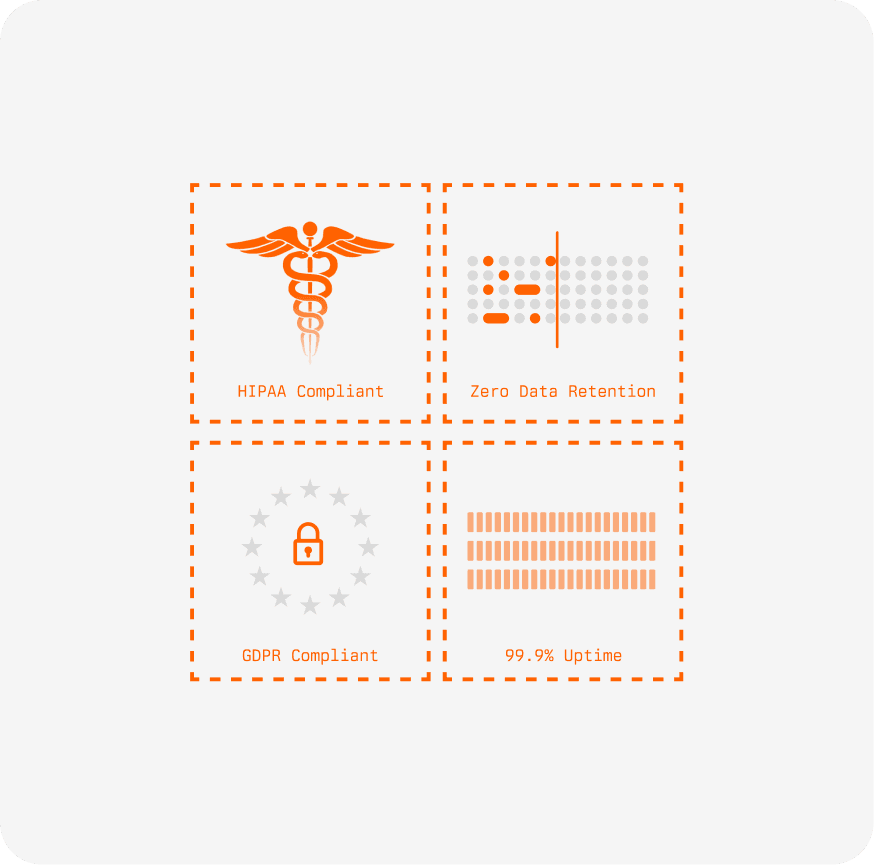
Anam has a SOC 2 Type II report and HIPAA-aligned controls. Enterprise plans add zero data retention, so conversation data is not stored or used for model training.
Do I need to write code?
No. You can build and test an avatar in Anam Lab without code and embed it with the widget. Developers can use the SDKs and API for full control.
How much does it cost?
You can start free with 30 minutes a month. Paid plans are billed by the second, and the rate drops to $0.04 a minute at scale. See pricing
Try it out
for free.
For people that want to try out our playground
$
/month
Unlimited custom avatars
Text-to-Avatar
30 free minutes monthly
3 min conversation limit
Large scale needs?
Discover our enterprise plans.
For those wanting the full experience
Unlimited custom avatars
Uptime SLA
Dedicated support & SLA
Region Selection & Data Residency
Custom simultaneous sessions
Zero Data Retention

© 2026 Anam Labs
SOC 2 Type II report · HIPAA-aligned controls.