Changelog
Multi-utterance talk streams, custom speech-to-text provider, and faster voice models
Multi-utterance talk streams: Applications can send ordered utterances within one talk stream; for example, speaking before a tool call and continuing with its result.
Choose your speech-to-text provider: Full-pipeline personas can now use Anam or Deepgram for transcription. Select a provider under Voice Detection in the Lab, or set voiceDetectionOptions.sttProvider through the API.
Faster Cartesia speech in the US: Cartesia-backed personas served in the US now benefit from a server-side optimization that reduces text-to-speech startup latency without integration changes.
Lab changes
[3]
Improvements
Session diagnostics: Sessions now show customer-safe termination reasons with guidance for supported LiveKit, Daily, Agora, and Turnkey scenarios. See Session Termination Reasons.
Session review: Click a transcript timestamp to jump directly to that moment in the session recording.
Embed setup: Disallowed iframe origins now show the referring domain and explain how to update and publish Allowed domains.
Fixes
Sessions History: Fixed date-filtered lists and CSV exports, invalid page states after filtering, and mobile pagination hidden behind navigation.
Widget previews: Draft initial messages and greeting settings now apply correctly to the next preview call.
Public conversations: Cookie prompts no longer cover iframe, share-link, or meeting conversations.
Session finalization: Fixed an issue that could leave very short sessions marked active or later classified as orphaned.
Avatar videos: Improved stale-job recovery so failed work does not prevent newer video requests from completing.
Persona Changes
[4]
Improvements
Speech-to-text selection: Full-pipeline personas can now use Anam or Deepgram for transcription. Choose a provider in the Lab or set
voiceDetectionOptions.sttProviderthrough the API. See Voice Detection.Faster Cartesia speech starts: Cartesia-backed personas served in the US now benefit from a server-side optimization that shortens text-to-speech startup without integration changes.
New Cartesia voices: New voice clones and imported Cartesia voices now use Sonic 3.6. Existing voices keep their current model.
Fixes
Transcription reliability: Deepgram Flux now falls back faster when its primary endpoint is unavailable and recovers turns that do not receive an end-of-turn signal.
LiveKit reconnects: Reconnecting now preserves the avatar’s existing camera and microphone tracks instead of creating duplicate publications.
API changes
[4]
Improvements
Microphone capture: JavaScript SDK
v4.27.0requests browser-supported noise suppression, automatic gain control, voice isolation, and mono capture for more consistent input audio.
Fixes
Saved-persona attribution: Sessions started from saved personas now return the correct
personaId. FilteringGET /v1/sessionsby persona also includes recoverable historical sessions.
Compatibility
Pipecat 1.8:
pipecat-anam v0.2.0-alpha.6supports Pipecat 1.8 and requires Python 3.11+. Applications using Pipecat 1.7 or earlier should remain onv0.2.0-alpha.5.
Avatar videos, faster responses, and multi-utterance tool calls
Avatar videos, faster responses, and multi-utterance tool calls
Avatar videos: The new Avatar Videos APIturns a supplied script into a downloadable MP4 without opening an interactive conversation. Use a saved persona, or choose an avatar and voice directly, then retrieve the video when it is ready.
Faster responses: Server-side optimizations reduce response latency by around 100–200 ms for supported persona configurations, helping conversations feel quicker without integration changes.
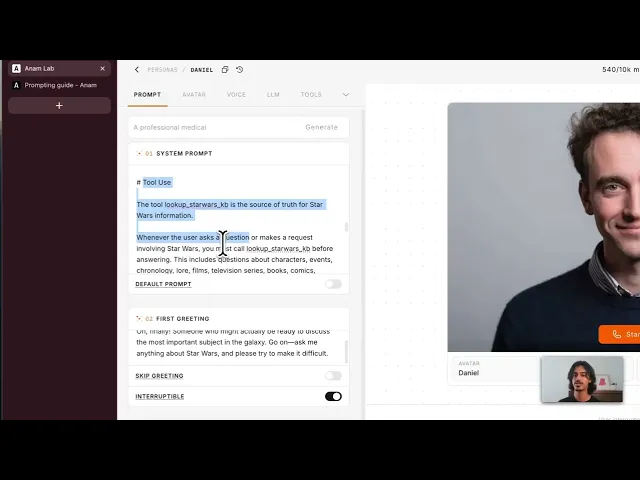
Multi-utterance tool calls: With multi-utterance persona turns, compatible LLMs can speak before a tool call and continue after its result arrives within the same logical turn.
Lab changes
[3]
Improvements
AI avatar disclosure: Lab sessions, share links, and meeting experiences now include a persistent AI avatar disclosure.
Deprecated LLM visibility: Deprecated stock LLMs are clearly labelled and excluded from defaults and recommendations. Existing published personas can keep their current model, while new persona assignments are prevented.
Fixes
Iframe embeds: Fixed an issue where an embedded persona could be replaced by a 404 when starting a session.
Persona Changes
[4]
Improvements
Faster LiveKit connections: Improved server-side regional routing keeps LiveKit sessions on a nearby media edge, shortening connection setup and reducing slow starts that could briefly show a black avatar tile or low-quality video. See the LiveKit latency guidance.
Timed conversation pauses: The new
pause_conversationsystem tool lets a persona acknowledge a requested pause and remain quiet for up to 10 minutes, resuming early if the user speaks.Tool-call safeguards: A single LLM turn now stops after 10 tool calls or five consecutive identical calls, reducing stalled and runaway loops. See Tool limitations.
Fixes
Repeated responses: Fixed an issue where duplicate OpenAI Responses API text parts could make a persona repeat itself.
API changes
[4]
Improvements
Session region controls: Enterprise organizations can request the
euorusengine region, choosepreferredfailover orstrictno-cross-region fallback, and read the region that served the session. See Session Regions.Multi-utterance messages: JavaScript SDK
v4.25.0and Python SDKv0.11.0expose optional utterance IDs and ordered utterance arrays while preserving the existing full message content. See the JavaScript and Python examples.Disclosure controls: JavaScript, Python, and LiveKit integrations can opt into Anam’s persistent disclosure with
showAIAvatarDisclosureorshow_ai_avatar_disclosure. See AI Avatar Disclosure.Custom TTS guidance: Updated audio-passthrough and LiveKit documentation covers sequence completion, supported audio chunk types, the 800 ms audio requirement, and latency optimization.
Invite personas to your meetings
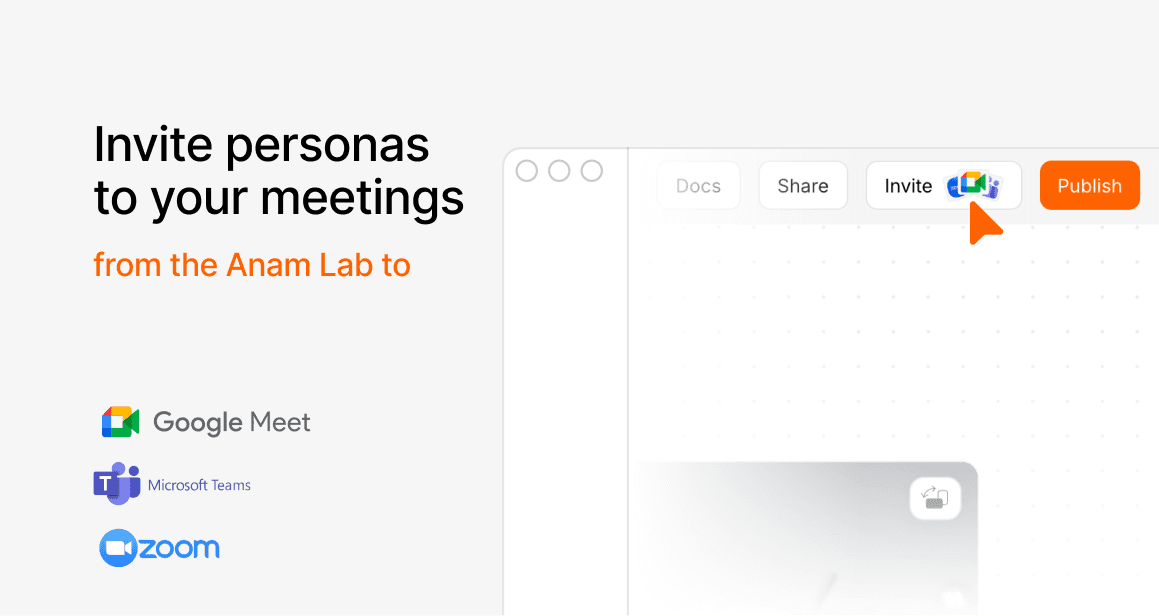
Personas can now join Google Meet, Zoom, and Microsoft Teams calls as participants. Create an invite with a meeting URL and a persona via the new Meetings API, and the persona joins the call, either immediately or at a scheduled time up to 7 days ahead. Scheduling at least 10 minutes in advance reserves guaranteed capacity for the join, which is the most reliable way to get a persona into a planned meeting.In group calls the persona joins silently and only responds when addressed by its display name; for 1:1 calls it can greet on join and respond to everything. You choose the region the persona joins from (eu, us-east, or us-west), with a strict mode for data-residency requirements. Once the persona is in the call, the invite links to a regular session, so transcripts and session details work through the existing Sessions API. Meeting participants always see that the persona is an AI: display names carry an “(AI)” suffix and the persona’s video includes a persistent AI-disclosure treatment.
Read the Meetings guide to get started.
Lab changes
[1]
Improvements
Invite from the Build page: Published personas have a new Invite action that adds them to a meeting directly from the Lab.
API changes
[1]
Improvements
Meetings API: New
/v1/meetings/invitesendpoints to create, list, get, and cancel meeting invites, gated by a newmeetingsAPI key permission scope. See the API reference.
Faster time to first frame for persona sessions
Persona sessions now connect much faster, with major improvements to time to first frame. We reduced work on the session-start path, improved WebRTC/TURN connection handling, warmed connection paths earlier, and made startup more resilient to transient failures. The improvement is already visible in production: US persona sessions are now seeing p50 time to first frame below 1 second, with p95 below 3 seconds.
Lab changes
[7]
Improvements
Team management: Added a dedicated Team page for invites, member lists, roles, removals, and pending invitations.
Billing visibility: Billing is now a persistent nav item, with plan/usage status in the Lab and upcoming-invoice previews on the subscription page.
Build and session performance: Build page data now loads in parallel, session-token and session-start paths do less blocking work, and connection warmups/regional routing reduce time to playable sessions.
Fixes
Knowledge Library downloads: Restored open and download actions for files in the Knowledge Library modal.
Microphone controls: Fixed mic discovery before first session and added microphone selection to public share-link sessions.
Safari and iOS compatibility: Fixed Safari voice-clone recording previews, iOS fullscreen errors, and older Safari microphone-permission checks.
Security hardening: Tightened server-side URL fetching, resource ownership checks, share-link protections, upload quota validation, pagination limits, anonymous metrics limits, and auth session handling.
Persona changes
[6]
Improvements
Mid-session config updates: Live sessions can now receive language, voice generation, and voice detection updates over the data channel without reconnecting.
Connection reliability: Cloudflare TURN is now the default path with fallback, WebRTC forwarding has safer drain/flow handling, and regional Deepgram URLs improve transcription routing.
Fixes
Turn-taking stability: Fixed rapid-interrupt edge cases, duplicate/missing LiveKit end-of-turn signals, and avatar freezes during interrupt transitions.
Silence and end-call behavior: Silence-breaker prompts now stay in the conversation language and no longer accidentally trigger the
end_calltool.Tool-call resilience: Personas recover more gracefully from malformed model streams or hallucinated tool calls before failing over.
Session recordings: Recording now waits for the primary WebRTC connection before starting, reducing missing recordings caused by early recorder connection attempts.
API changes
[9]
Improvements
RTC configuration control: JavaScript SDK
v4.15.0addsrtcConfiguration, including support for forcing TURN relay withiceTransportPolicy: "relay".Session start retries: JavaScript SDK
v4.14.0retriesstartSessionon transient failures.Direct session start:
POST /v1/engine/sessioncan now accept a raw API key with session config in the request body for server-side SDKs and backend integrations.Widget config updates:
PUT /v1/personas/{id}can update embed widget settings such as call-to-action text and allowed origins.Developer guidance: Docs now cover mid-session updates,
rtcConfiguration, TURN-relay forcing, and registering event/tool handlers before starting a session.
Fixes
LiveKit compatibility: Restored field-based persona config inference so existing LiveKit plugin payloads continue to create sessions.
API-managed personas: API-created and API-updated personas are no longer cleaned up by stale Lab draft cleanup.
Persona ownership validation: API create/update and draft/publish paths now enforce organization scoping for referenced avatars, voices, and LLMs.
Webhook and external URL safety: Webhook tool URLs, avatar image URLs, custom LLM URLs, and avatar-source fetches now use stricter public-URL validation.
Refreshed Lab and better session controls
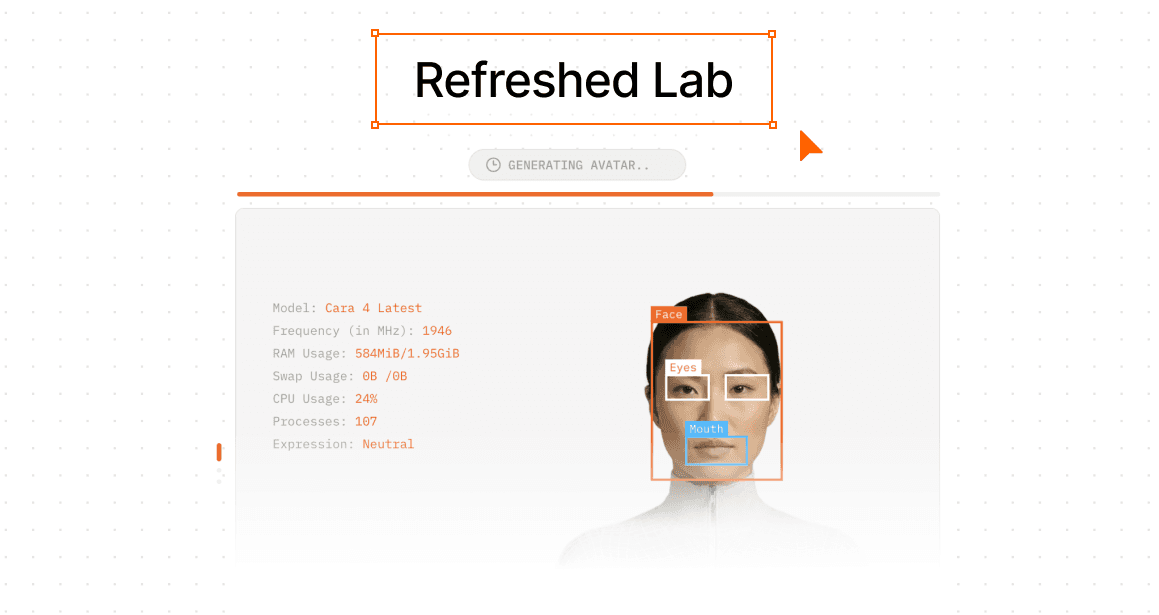
The Lab has a refreshed interface across Build, Personas, Sessions, Dashboard, and API Keys, with cleaner navigation, updated controls, improved tables, and a more consistent design system throughout the product.Builders also have more predictable control over session behavior. Silence prompts and automatic session endings can now be disabled by setting their timeout values to 0, and the confirmed end-call flow records clearer end reasons in session reports.
Lab changes
[7]
Improvements
Lab refresh: Updated the main Lab experience across Build, Personas, Sessions, Dashboard, and API Keys with refreshed navigation, controls, tables, and styling.
Custom LLM editing: The Build page now supports full custom LLM editing, including URL, format, model/deployment/API version, reasoning settings, description, and safe API key rotation.
Sessions History: Added server-side search, API key/date filters, filtered pagination, and more reliable CSV exports.
Voice discovery: Voice language filters now reflect supported Cartesia Sonic 3.5 and ElevenLabs Flash v2.5 languages, with improved locale/accent matching and neutral localized sample text.
Fixes
Persona autosave: Added timeouts and retries so personas no longer get stuck in “Saving” and block publishing indefinitely.
Avatar player layout: The avatar player now responds better to limited vertical space so video and config controls remain visible.
Knowledge Library names: Long folder and file names now truncate more reliably so counts and action buttons stay reachable.
Persona changes
[7]
Improvements
Session controls:
silenceBeforeSkipTurnSeconds: 0andsilenceBeforeSessionEndSeconds: 0now disable silence prompts and automatic session endings.
End-call flow: Added a confirmed
end_callflow with standardized close messages andend_reason/end_messagein session reports.Multilingual transcription: Deepgram Flux now defaults to the multilingual model with supported language hints.
Conversation context: Increased the default agentic LLM message history from 8 to 20 messages for more coherent longer conversations.
Fixes
End-call reliability: Added guards against repeated
end_callloops and incorrect turn-finished events.
Reasoning text safety: Leaked
<think>blocks are scrubbed from spoken output and message history while preserved for reasoning aggregation.ElevenLabs transcripts: Fixed missing spaces when rebuilding assistant transcripts from ElevenLabs alignment chunks.
API changes
[4]
Improvements
Voice detection options: API validation and Swagger now document the new
0disable behavior and expanded timeout ranges for silence controls.
Avatar API reference: Clarified avatar media fields, including signed idling preview URLs and the current public avatar model mapping.
Fixes
Validation consistency: Session-token and Lab persona validation now agree on silence timeout ranges and descriptions.
SDK logging: JavaScript SDK log wording has been cleaned up for clearer developer diagnostics.
Cara 4 early access
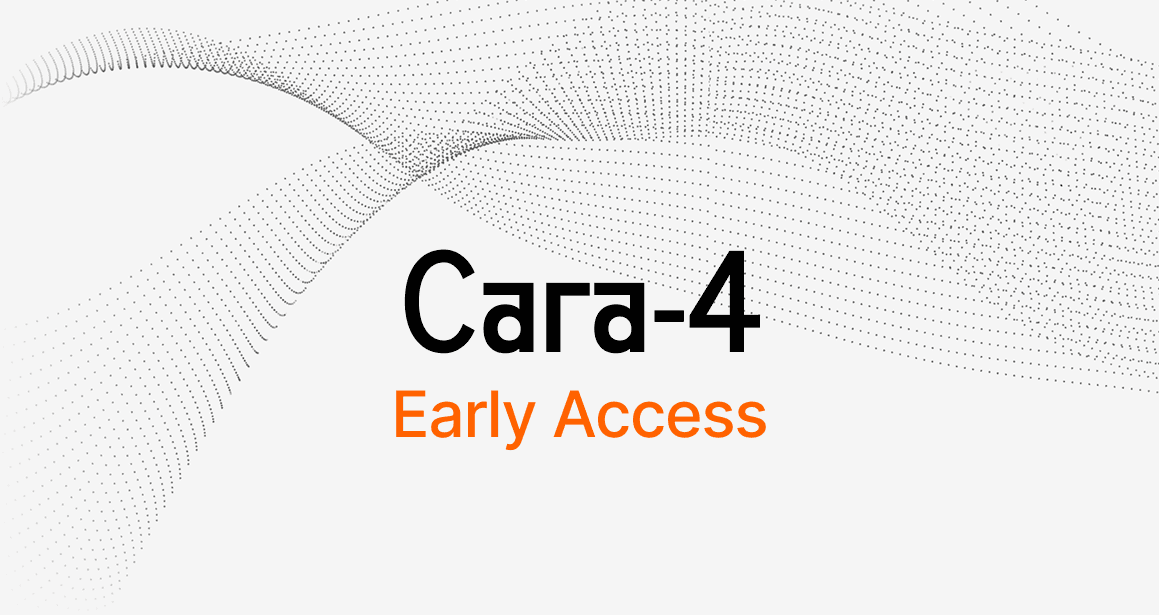
Cara 4 is now available in early access for enabled organizations. It brings higher-resolution avatar output, stronger expressivity, and improved custom avatar creation for teams testing the next generation of Anam avatars.Once access is enabled for an organization, builders can select Cara 4 (Latest) in the Lab or set avatarModel: "cara-4-latest" when creating a persona or session token via the API.
Lab changes
[10]
Improvements
Cara 4 early access: Enabled organizations can now try Cara 4 from the Build page model selector and use the new early-access setup guide.
Knowledge Library: Redesigned the Knowledge Library, upload, folder, and batch-upload dialogs with cleaner layouts, clearer file states, and a smoother upload flow.
Voice cloning quality: Cartesia voice clones now use Sonic 3.5, improving clone quality and expressiveness for generated voices.
Configurable first messages: The Lab now supports custom persona first messages, making it easier to control how a session opens.
Fixes
Knowledge deletion: Knowledge document and folder deletion now returns immediately instead of blocking while vector and file cleanup finishes in the background.
Knowledge cleanup reliability: Fixed cleanup deadlocks around large legacy documents so deleted Knowledge files are purged more reliably.
Long Knowledge names: Long folder and file names now truncate correctly, keep actions reachable, and validate upload/rename limits before they hit database errors.
Lab Home templates: Fixed Lab Home persona templates that could recite their own system prompts instead of staying in character.
Persona list refresh: Persona lists now refresh correctly after draft autosave and publish changes, reducing stale Build and Personas page states.
Tool interruption setting: Fixed the Tools UI so the interruption-control setting is passed through correctly.
Persona changes
[8]
Improvements
Cara 4 streaming: Tuned Cara 4 frame buffering and bitrate behavior for smoother high-quality playback during early-access sessions.
Audio preprocessing: Updated speech enhancement and VAD handling with newer ai-coustics/Voice Focus support.
Cartesia pronunciation support: Enterprise customers can now request custom Cartesia pronunciation rules for specific words or brand terms.
Fixes
Interrupted greetings: Interrupted first messages are now recorded accurately in conversation history, so personas do not retain text they never actually spoke.
Audio latency: Fixed an audio pipeline issue that could add latency in some sessions.
Turkish turn-taking: Disabled eager end-of-turn behavior for Turkish to reduce premature interruptions.
Audio passthrough avatars: Fixed audio passthrough sessions so the selected
avatarModelis passed through correctly.LLM message tracking: Added safeguards for missing LLM part IDs to reduce message-history edge cases.
API changes
[7]
Improvements
Cara 4 via API: Enabled organizations can request Cara 4 with
avatarModel: "cara-4-latest"when creating session tokens or personas.OpenAPI accuracy: Fixed OpenAPI/Swagger generation issues, including missing fields and tool-update schema coverage.
Pipecat startup: Updated
pipecat-anamalpha releases with a non-blocking startup flow that reduces time to first bot speech, plus improved interrupt handling.
Fixes
Clearer ID errors: Passing an avatar, persona, or voice ID into the wrong field now returns a helpful
400/404response instead of a generic server error.Validation status codes: Session-token validation errors now surface as validation failures instead of misleading capacity errors.
Persona API state: Fixed persona API responses that could return draft persona data instead of the latest published persona.
Deleted Knowledge filtering: Added an internal safety check so deleted Knowledge documents are filtered out of RAG results while vector cleanup catches up.
More predictable session openings
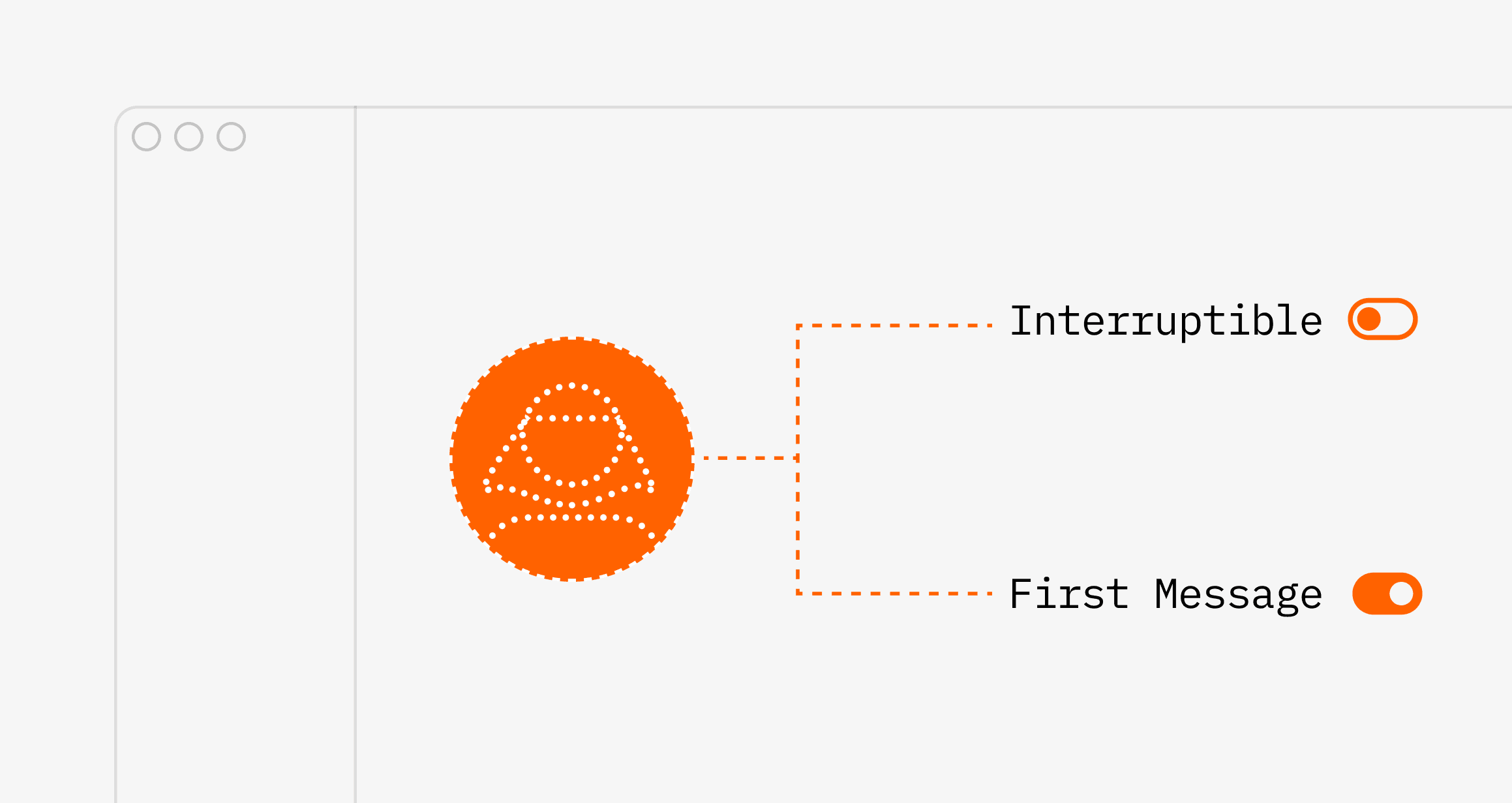
This release gives builders more control over how sessions begin, especially when a tool-driven turn needs to run cleanly without being interrupted partway through. That makes longer or multi-step tool flows feel more predictable for both builders and end users.
On the media side, you can now pin a session to start in high video quality using sessionOptions.videoQuality, which helps sessions reach their intended bitrate faster. We also tightened one-shot avatar refinement so flat or near-solid backgrounds are preserved more reliably in both the Lab and /v1 avatar creation flow.
Lab changes
[2]
Improvements
Better default model: New personas and built-in agent templates now default to GPT OSS 120B instead of GPT OSS 20B, improving reasoning quality and tool use out of the box.
Fixes
Cleaner avatar refinement: Fixed a Gemini refinement issue that could replace plain or near-solid avatar backgrounds with invented scenery, textures, or objects during one-shot avatar creation.
Persona changes
[2]
Improvements
Protected tool turns: Tool-driven turns can now optionally suppress interruptions while your app is still handling the action, making longer or multi-step tool flows more predictable.
Fixes
Protected-turn cleanup: Interrupt protection is now released cleanly when a greeting or tool turn finishes without spoken output, reducing the chance of sessions getting stuck in a protected state.
API changes
[2]
Improvements
Initial video quality control:
sessionOptions.videoQualitynow acceptshighorauto, letting you pin a session to start at the maximum video bitrate instead of ramping up from the default profile.
Fixes
Avatar API refinement backgrounds: The same background-preservation fix now applies to the
/v1avatar creation flow, so refined API-created avatars are less likely to pick up hallucinated scenery.
The Anam docs have been overhauled
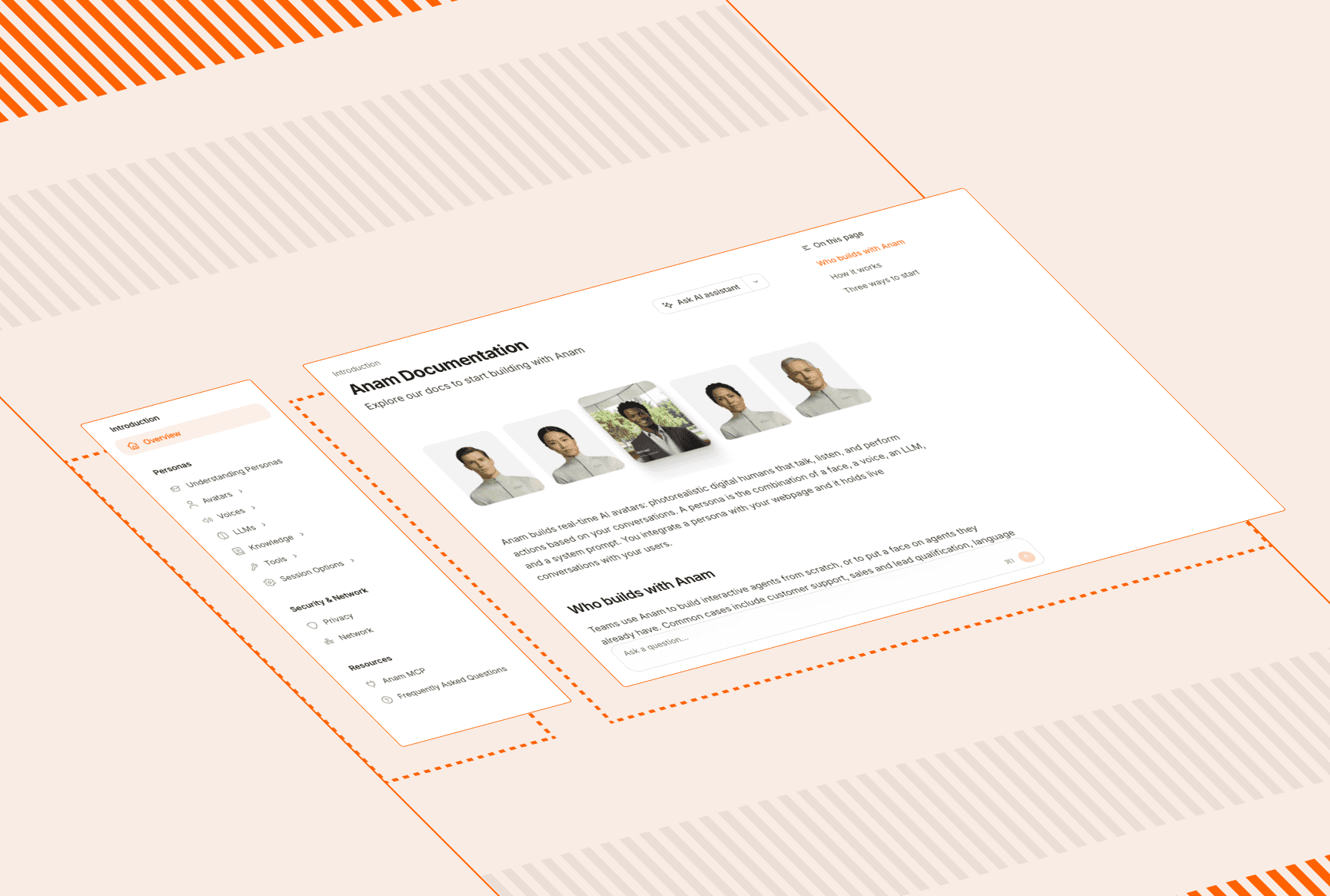
We redesigned the docs to make it much easier to find the right starting point and drill into the part of the platform you care about. Navigation is now organized around Overview, Embed, JavaScript SDK, Python SDK, Integrations, API Reference, and Changelog, with a rewritten overview page and clearer Learn / Embed / Build entry points.
This overhaul also adds dedicated Python SDK and LiveKit documentation, plus more focused guides for avatars, voices, LLMs, tools, session options, and network configuration.
Docs Changes
[5]
Improvements
New navigation: The docs now use clearer top-level tabs and reorganized sections so it is faster to jump between concepts, embedding, SDKs, integrations, and API reference.
New SDK and integration guides: Added dedicated Python SDK documentation and a full LiveKit integration section, including overview, quickstart, and configuration guides.
Focused concept pages: Split key setup topics into dedicated pages for available LLMs, creating custom avatars, session controls, voice configuration, and network requirements.
Fixes
Docs redirects: Added redirects for renamed and legacy docs URLs so older links and indexed API-reference pages are less likely to land on 404s.
Navigation polish: Improved overview labeling, changelog labeling, and navbar behavior across the docs experience.
Lab changes
[1]
Improvements
Sessions page: Tool calls now appear across session Analytics, Overview, Transcript, and export views, including status, arguments, results, errors, and execution time.
Persona changes
[4]
Improvements
Client tool round-trips: Personas can now continue once your application returns a client tool result, making client-side actions easier to chain into a conversation.
Webhook tracing: Webhook tool requests now include session and correlation IDs, making it easier to trace tool calls across your own backend systems.
Fixes
Audio preprocessing resilience: Sessions now fail open if speech-enhancement preprocessing is unavailable, instead of ending unexpectedly.
Session startup reliability: Improved startup and media-timeout handling so transient processing issues are less likely to interrupt an active turn.
API changes
[2]
Improvements
Client tool results: The JavaScript SDK now sends client tool results and errors back to the engine over the data channel, with session-scoped safeguards.
Avatar creation API:
POST /v1/avatarsnow accepts an optionalavatarModelfield during avatar creation.
Tool setup got much easier in the Lab
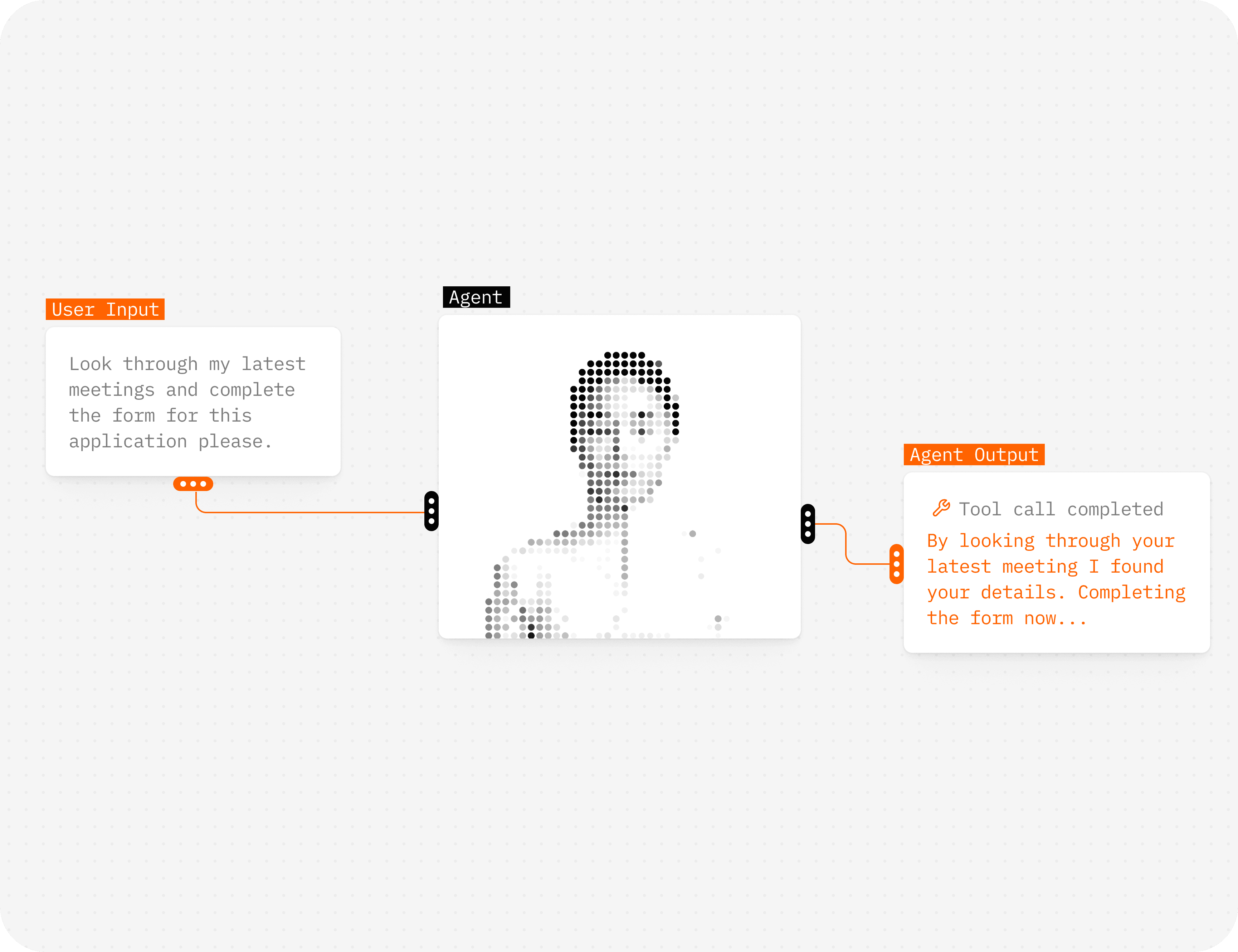
Tool setup got much easier in the Lab
We redesigned the tool editor so webhook tools can be configured with form-based builders for headers, query params, and body params instead of raw JSON. That makes it much easier to set up tools correctly, especially for non-technical builders or teams collaborating across product and engineering.
This release also includes a few practical fixes around upload limits, session behavior, and API error handling so the platform behaves more clearly when something goes wrong.
Lab changes
[4]
Improvements
Tool editor: Rebuilt webhook tool configuration with form-based builders for headers, query params, and body params, so you no longer need to edit raw JSON for common setups.
Fixes
Connection errors: Improved LLM URL normalization and connection error messages when custom model endpoints are misconfigured.
Avatar uploads: Reduced the avatar image upload limit to match the real platform file limit and avoid failed uploads.
Session cleanup: Fixed a bug where active sessions could keep running after the player unmounted during tab switches.
API changes
[2]
Improvements
Capacity signaling: When session capacity is exhausted, the API now returns a clearer
429response instead of a generic failure.
Fixes
Knowledge auth: Fixed knowledge-upload auth and header handling for API callers.
Client-side context injection
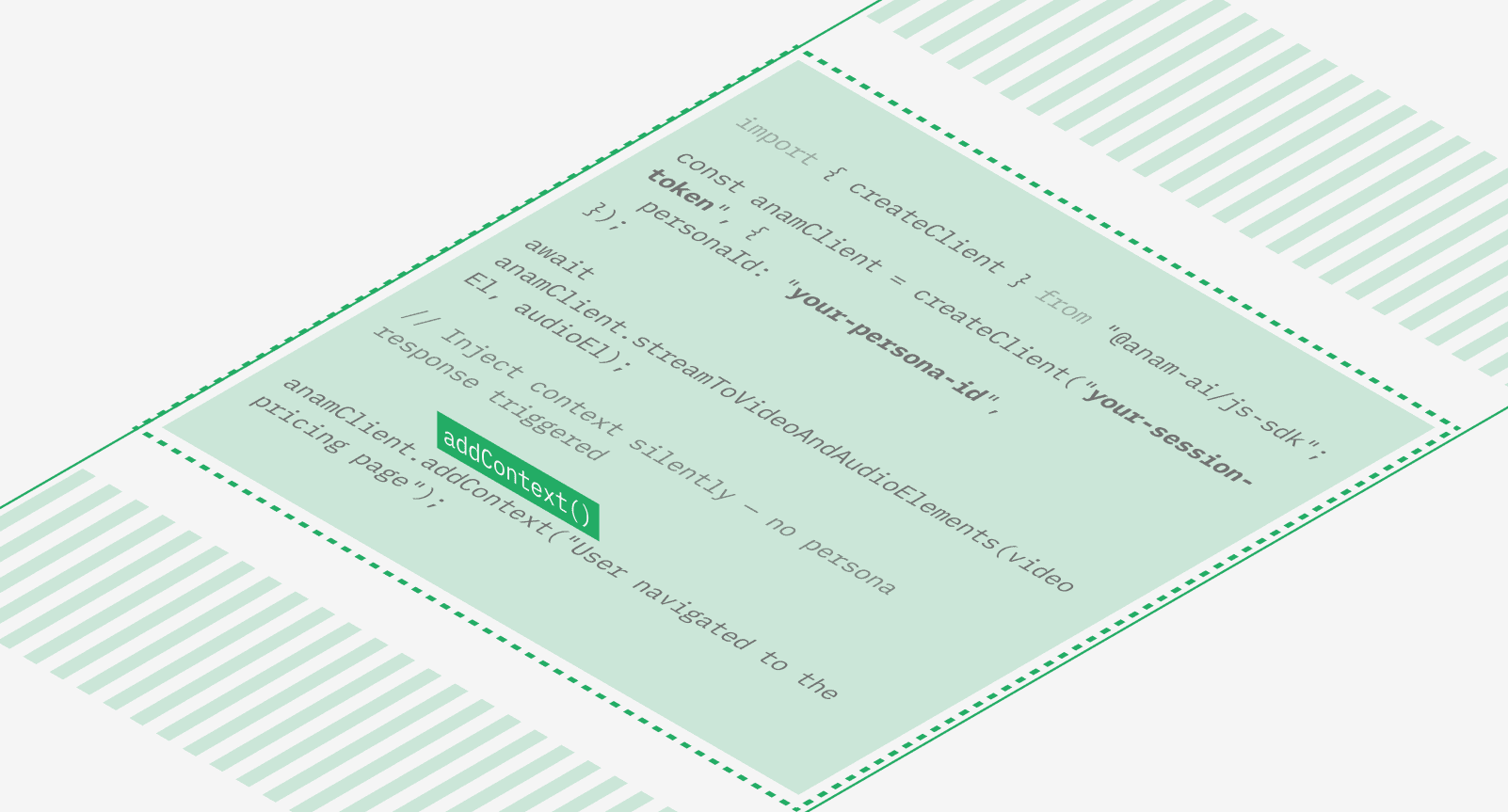
You can now inject context into a conversation without triggering a persona response. Call addContext() in the JavaScript SDK to silently append information — like CRM data, page navigation events, or real-time application state — to the conversation history. The persona won’t respond immediately, but will have that context available the next time the user speaks.This is useful for building context-aware agents that adapt to what the user is doing in your application without interrupting the conversation flow.
User speech detection events
Both the Python and Javascript SDK now emit userSpeechStarted and userSpeechEnded events the moment voice activity is detected, before any transcription is available. Use these to build responsive “listening” indicators and other UI feedback that reacts instantly when the user begins or stops speaking.
Lab changes
[6]
Improvements
Voice cloning for all paid plans: Custom voice cloning is now available to Explorer and Growth plans, previously limited to Professional and Enterprise.
Share and embed redesign: Share links and embed widgets have been consolidated into a simpler 1-to-1 model with a cleaner management interface.
Persona tools via API: The PUT persona endpoint now accepts a
toolfield, allowing you to attach tools to personas programmatically.
Fixes
Fixed one-shot avatar refinement timing out by making Gemini refinement non-fatal with a 35-second timeout.
Fixed knowledge upload endpoints not accepting Bearer API key authentication.
Fixed end-session race conditions with idempotent endpoint and atomic updates.
Persona changes
[3]
Improvements
Conversation context accuracy: A new message history system tracks which text was actually spoken versus interrupted, and records tool call arguments and results. The persona now maintains accurate context after interruptions, leading to more coherent multi-turn conversations.
Audio passthrough stability: Late-arriving audio in BYO TTS sessions no longer causes unintended interruptions. Audio is buffered and played back in order, improving reliability for Pipecat and other audio passthrough integrations.
Fixes
Fixed stale video frames occasionally appearing after a response completes.
API changes
[2]
Improvements
Context injection: New
addContext()method lets you inject context into the conversation history without triggering a response (JS SDK v4.11.0).Speech detection events:
userSpeechStartedanduserSpeechEndedevents fire at the VAD level for instant speech detection (JS SDK v4.12.0).
Adaptive bitrate streaming and Zero Data Retention mode
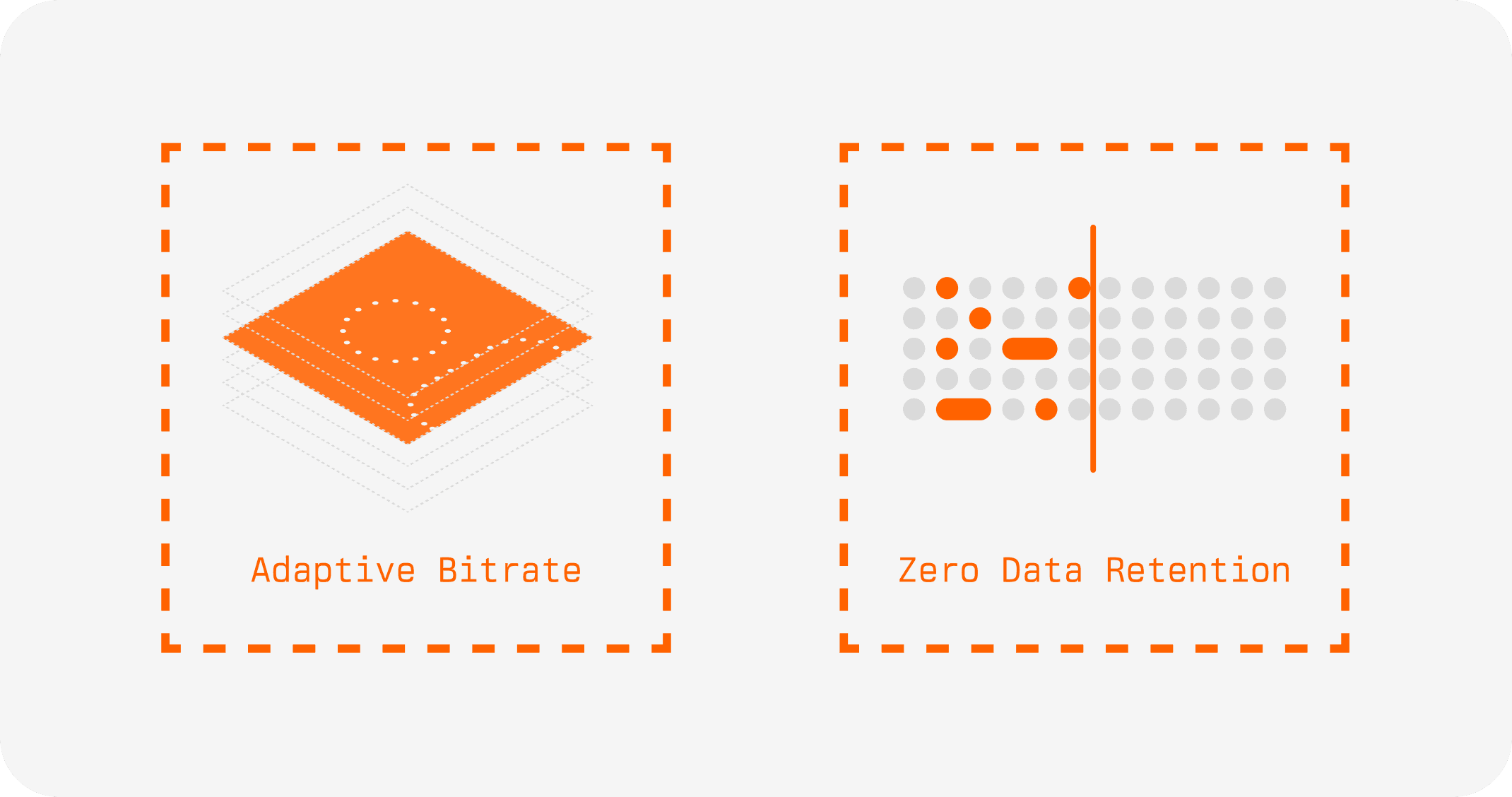
Adaptive bitrate streaming
Anam now dynamically adjusts video quality based on network conditions. When bandwidth drops, the stream adapts in real time to maintain smooth, uninterrupted video rather than freezing or dropping frames. When conditions improve, quality scales back up automatically. This is a significant improvement for users on mobile networks, VPNs, or connections with variable bandwidth.
Zero Data Retention mode
Enterprise customers can now enable Zero Data Retention on any persona. When enabled, no session data — recordings, transcripts, or conversation logs — is stored after a session ends. This applies across the full pipeline including voice and LLM data. Toggle it on from persona settings in the Lab, or set it via the API. Learn more.
Lab changes
[6]
Improvements
System tools: Personas can now use built-in system tools.
change_languageswitches speech recognition to a different language mid-conversation, andskip_turnpauses the persona from responding when the user needs a moment to think. Enable them from the Tools tab in Build.Tool validation: Auto-deduplication of tool names with clearer validation error messages.
Share link management: Migrated share links to a 1-to-1 primary model with a simpler toggle interface.
Fixes
Fixed reasoning model responses getting stuck in “thinking…” state.
Fixed soft-deleted knowledge folders not restoring on document upload.
Fixed LiveKit session type classification for snake_case environment payloads.
Persona changes
[7]
Improvements
Agora AV1 support: Agora integration now supports the AV1 video codec for better compression and quality at lower bitrates.
Multi-agent LiveKit: Audio routing now works correctly in multi-agent LiveKit rooms with multiple Anam avatars.
Fixes
Fixed tool enum type validation.
New Integrations: Elevenlabs, Framer, Videosdk, Pipecat
Four new ways to use Anam avatars in your stack:
Pipecat
The pipecat-anam package brings Anam avatars to Pipecat, the open-source framework for voice and multimodal AI agents. pip install pipecat-anam, add AnamVideoService to your pipeline, and you’re streaming. Use audio passthrough for full control over your own orchestration, or let Anam handle the pipeline end-to-end. GitHub repo.
ElevenLabs server-side agents
Put a face on any agent you’ve built in ElevenLabs. Pass in your ElevenLabs agent ID and session token when starting a session, and Anam handles the rest, no changes to your existing ElevenLabs setup needed. Cookbook.
VideoSDK
Anam is now officially supported on VideoSDK, a WebRTC platform similar to LiveKit. Built on top of the Python SDK.
Framer
The Anam Avatar plugin is now on the Framer Marketplace. Drop an avatar into any Framer site without writing code.
Metaxy: sample-level versioning for ML pipelines
We wrote up a deep dive on Metaxy, our open-source metadata versioning framework for multimodal data pipelines. It tracks partial data updates at the field level so teams only reprocess what actually changed. Works with orchestrators like Dagster, agnostic to compute (Ray, DuckDB, etc.). GitHub.
Lab changes
[4]
Improvements
• Build page redesign: Everything lives in Build now. Avatars, Voices, LLMs, Tools, and Knowledge are tabs within a single page. Create custom avatars, clone voices, add LLMs, and upload knowledge files without leaving the page. Knowledge is a file drop on the Prompt tab: upload a document and it’s automatically turned into a RAG tool.
• Knowledge base improvements: Non-blocking document deletion with pending state and rollback on error. PDF uploads restored. Stuck documents are auto-detected with retry from the UI.
Fixes
• Fixed typo in thinking duration display.
• Fixed sticky hover states on touch devices.
Persona changes
[7]
Improvements
• Smart voice matching: One-shot avatars now auto-select a voice matching the avatar’s detected gender.
• Mobile improvements: Tables replaced with cards and lists. Bottom tab bar instead of hamburger menu. Long-press context menus on persona tiles. Touch-friendly tooltips.
• Video stability: New TWCC-based frame-drop pacer with GCC congestion control. Smoother video on constrained or variable-bandwidth connections.
• Network connectivity: TURN over TLS for ICE, improving session establishment behind corporate firewalls and VPNs.
Fixes
• Fixed ElevenLabs pronunciation issues with certain text patterns.
• Fixed text sanitization causing incorrect punctuation in TTS output.
• Fixed silent responses not being detected correctly.
API changes
[3]
Improvements
Tool call event handlers:
onToolCallStarted,onToolCallCompleted, andonToolCallFailedhandlers for tracking tool execution on the client.Documents accessed:
ToolCallCompletedPayloadnow includes adocumentsAccessedfield for Knowledge Base tool calls.
Fixes
Fixed duplicate tool call completion events.
Introducing Anam Python SDK
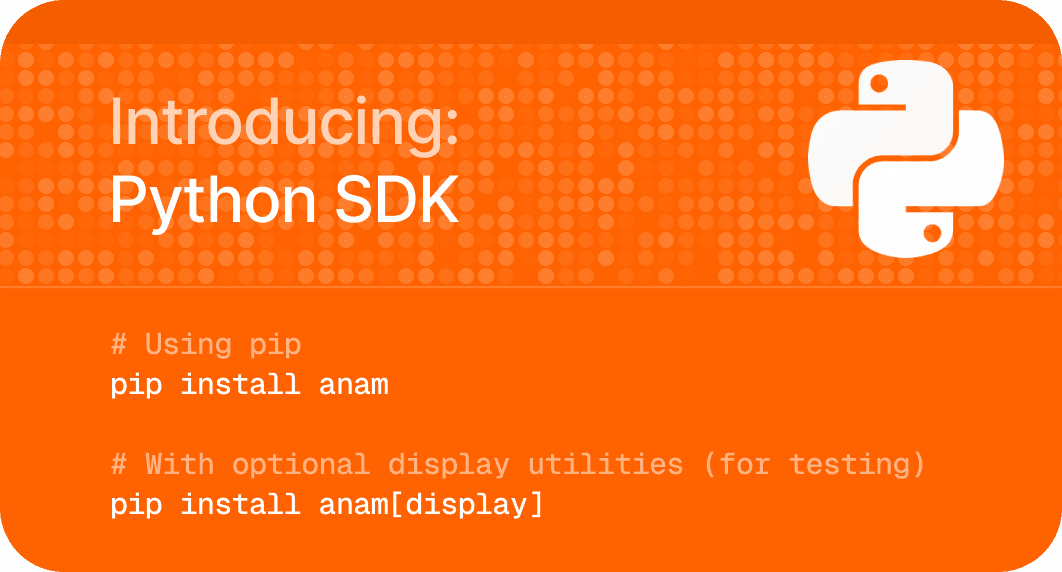
Anam Python SDK
Anam now has a Python SDK. It handles WebRTC streaming, audio/video frame delivery, and session management.What’s in the box:
Media handling — The SDK manages WebRTC connections and signalling. Connect, and you get synchronized audio and video frames back.
Multiple integration modes — Use the full pipeline (STT, LLM, TTS, Face) or bring your own TTS via audio passthrough.
Live transcriptions — User speech and persona responses stream in as partial transcripts, useful for captions or logging conversations.
Async-first — Built on Python’s async/await. Process media frames with async iterators or hook into events with decorators.
People are already building with it — rendering ascii avatars in the terminal, processing frames with OpenCV, piping audio to custom pipelines. Check the GitHub repo to get started.
Lab changes
[1]
Improvements
Visual refresh: Updated Lab UI with new brand styling, including new typography (Figtree), refreshed color tokens, and consistent component styles across all pages.
Persona changes
[4]
Improvements
ICE recovery grace period: WebRTC sessions now survive brief network disconnections instead of terminating immediately. The engine detects ICE connection drops and holds the session open, allowing the client to reconnect without losing conversation state.
Language configuration: You can now set a language code on your persona, ensuring the STT pipeline uses the correct language from session start.
Fixes
Voice generation options: Added configurable voice generation parameters for more control over TTS output
ElevenLabs streaming: Removed input buffering for ElevenLabs TTS, reducing time-to-first-audio for all sessions using ElevenLabs voices.
Anam is now HIPAA compliant
A big milestone for our customers and partners. Anam now meets the standards required for HIPAA compliance, the U.S. regulation that protects sensitive health information. This means healthcare organizations and companies handling medical data can use Anam with confidence that their data is protected and processed securely.
What HIP compliance means.
HIPAA (Health Insurance Portability and Accountability Act) sets national standards for safeguarding medical information. Compliance confirms that Anam maintains strict administrative, physical, and technical safeguards, covering how data is stored, encrypted, accessed, and shared.
An independent assessment verified that Anam’s systems and policies meet the HIPAA Security Rule and Privacy Rule requirements.
Security is built into Anam.
Security has been a core principle since day one. Achieving HIPAA compliance reinforces our commitment to keeping your data private and secure while ensuring reliability and transparency for regulated industries.
Access our Trust Center.
You can review our security policies, data handling procedures, subprocessors, and compliance documentation, including our HIPAA attestation, at the Anam Trust Center.
Lab changes
[6]
Improvements
Enhanced voice selection
You can now search voices by your use case or conversational style! We also support 50+ languages that can now be previewed in the lab all at once.
Product tour update
We updated our product tour to help you find the right features and find the right plans for you.
Streamlined One-Shot avatar creation.
Redesigned one-shot flow with clearer step progression and enhanced mobile responsiveness.
Naming personas is now automatic.
Auto-generated new persona names based on selected avatar.
Session start time.
Expected improvement by 1.1 sec for each session start up time.
Fixes
Share links.
Fixed share-link sessions taking extra concurrency slots.
Persona changes
[6]
Improvements
Improve tts pronunciation.
Improve tts pronunciation for all languages by adapting our input text chunking.
Traceability and monitoring of session IDs.
Send session IDs through all LLM calls to improve traceability and monitoring.
Increased audio sampling rate.
Internal Audio Sampling Rate increased from 16khz to 24khz sampling rate, allowing even more amazing audio for Anam Personas.
Websocket size increase.
Increased the maximum websocket size for larger talk stream chunks (from 1Mb to 16Mb).
Fixes
Concurrency calculation fix.
Fixed concurrency calculation to only consider sessions from last 2 hours.
Less freezing for slower LLMs
Slower LLMs will now result in less freezing, but shorter “chunks” of speech.
Session recordings available through API
By default, every session is now recorded and saved for 30 days. Watch back any conversation in the Lab (lab.anam.ai/sessions) to see exactly how users interact with your personas, including the full video stream and conversation flow.Recordings and transcripts are also available via API. Use GET /v1/sessions/{id}/transcript to fetch the full conversation programmatically for analytics, QA, or archival. See here: https://docs.anam.ai/api-reference/get-session-recording
For privacy-sensitive applications, you can disable recording in your persona config.
Two-pass avatar refinement
One-shot avatar creation now refines images in two passes. Upload an image, and the system generates an initial avatar, then refines it for better likeness and expression. Available to all users.
Lab changes
[6]
Improvements
Added speechEnhancementLevel (0-1) to voiceDetectionOptions for control over how aggressively background noise is filtered from user audio
Support for ephemeral tool IDs, so you can configure tools dynamically per session
Added delete account and organization buttons
Fixes
Fixed terminology on tools tab
Fixed RAG default parameters not being passed
Fixed custom LLM default settings
Persona changes
[7]
Improvements
Support for Gemini thinking/reasoning models
The speechEnhancementLevel parameter now passes through via voiceDetectionOptions
Engine optimizations for lower latency under load
Fixes
Fixed GPT-5 tool calls returning errors
Fixed audio frame padding that could cause playback issues
Fixed repeated silence messages
Fixed silence breaker not responding to typed messages
AI-Coustics and Reasoning Model Support
User Speech Enhancement
We’ve integrated ai-coustics as a preprocessing layer in our user audio pipeline. It enhances audio quality before it reaches speech detection, cleaning up background noise and improving signal clarity in real-world conditions. This reduces false transcriptions from ambient sounds and improves endpointing accuracy, especially in noisy environments like cafes, offices, or outdoor settings.
Configurable Persona Responsiveness
Control how quickly your persona responds with voiceDetectionOptions in the persona config:
endOfSpeechSensitivity (0-1): How eager the persona is to jump in. 0 waits until it’s confident you’re done talking, 1 responds sooner.
silenceBeforeSkipTurnSeconds: How long before the persona prompts a quiet user.
silenceBeforeSessionEndSeconds: How long silence ends the session.
silenceBeforeAutoEndTurnSeconds: How long a mid-sentence pause waits before the persona responds.
Reasoning Model Support
Added support for OpenAI reasoning models and custom Groq LLMs. Reasoning models can think through complex scenarios before responding, while Groq’s high-throughput infrastructure makes these typically-slower models respond with conversational latencies suitable for real-time interactions. Add your reasoning model in the lab: https://lab.anam.ai/llms.
Persona changes
[2]
Fixes
Fixed Knowledge Base (RAG) tool calling with proper default query parameters
Fixed panic crashes when sessions error during startup
Lab changes
[2]
Fixes
Fixed Powered by Anam text visibility when watermark removal is enabled
Updated API responses for GET/UPDATE persona endpoints
API changes
[2]
Improvements
Introduced agent audio input streaming for BYO audio workflows, allowing you to integrate with arbitrary voice agents, eg ElevenLabs agents. See docs on how to integrate.
Added WebRTC reasoning event handlers for reasoning model support
Introducing Cara 3: our most expressive model yet
The accumulation of over 6 months of research, Cara 3 is now available. This new model delivers significantly more expressive avatars featuring realistic eye movement, more dynamic head motion, smoother transitions in and out of idling, and improved lip sync.
You can opt-in to the new model in your persona config using avatarModel: ‘cara-3’ or by selecting it in the Lab UI. Note that all new custom avatars will use Cara 3 exclusively, while existing personas will continue to use the Cara 2 model by default unless explicitly updated.
SOC-2 Type II compliance
Anam has achieved SOC-2 Type II compliance. This milestone validates that our security, availability, and data protection controls have been independently audited and proven over time.For customers building across learning, enablement, or live production use cases, this provides formal assurance regarding how we handle security, access, and reliability.
Visit the Trust Center
Integrations
Model Context Protocol (MCP) server
Manage your personas and avatars directly within Claude Desktop, Cursor, and other MCP-compatible clients. Use your favorite LLM-assisted tools to interact with the Anam API.
Anam x ElevenLabs agents
Turn any ElevenLabs conversational AI agent into a visual avatar using Anam’s audio passthrough.
Watch the
Lab changes
[4]
Improvements
UI overhaul. A redesigned Homepage and Build page make persona creation more intuitive. You can now preview voices/avatars without starting a chat and create custom assets directly within the Build flow. Sidebar and Pricing pages have also been refreshed.
Performance. Implemented Tanstack caching to significantly improve Lab responsiveness
Fixes
Bug fix for client tool events that were not appearing in the Build page chat
Resolved an issue where tool calls and RAG were not passing parameters correctly.
Persona changes
[6]
Improvements
More Voices. Added ~100 new Cartesia voices (Sonic-3) and ~180 new ElevenLabs voices (Flash v2.5), covering languages and accents from all over the world.
New default LLM. Kimi-k2-instruct-0905 is now available. This SOTA open-source model offers high intelligence and excellent conversational abilities. (Note: Standard kimi-k2 remains recommended for heavy tool-use scenarios).
Configurable greetings. Added skip_greeting parameter, allowing you to configure whether the persona initiates the conversation or waits for the user.
Latency Reductions. STT optimization: We are now self-hosting Deepgram for Speech-to-Text, resulting in a ~30ms (p50) and ~170ms (p90) latency improvement. Frame buffering: Optimized output frame buffer, shaving off an additional ~40ms of latency per response.
Fixes
Corrected header handling to ensure reliable data center failover.
Fixed a visual artifact where Cara 3 video frames occasionally displayed random noise.
API changes
[1]
Improvements
API gateway guide
added documentation and an example repository for routing Anam SDK traffic through your own API Gateway server. View on GitHub.
Introducing Anam Agents

Build and deploy AI agents in Anam that can engage alongside you.
With Anam Agents, your Personas can now interact with your applications, access your knowledge, and trigger workflows directly through natural conversation. This marks Anam’s evolution from conversational Personas to agentic Personas that think, decide, and execute.
Knowledge Tools
Give your Personas access to your company’s knowledge. Upload documents to the Lab, and they’ll use semantic retrieval to find and integrate the right information into responses, from product docs to internal manuals. Docs for Knowledge Base
Client Tools
Personas can now control your interface in real time. They can open checkout pages, display modals, navigate to specific sections, or update UI states creating guided, voice-driven experiences that feel effortless for users. Docs for Client Tools
Webhook Tools
Connect your Personas to external APIs and services. They can check order status, create support tickets, update CRM records, or fetch live data from your systems. Configure endpoints, headers, and response types directly in the Lab. Docs for Webhook Tools
Intelligent Tool Selection
Each Persona’s LLM determines when to call a tool based on user intent, not scripts. If a user asks for an order update, the Persona knows to fetch data. If they request a demo, it books one instantly.
You can create and manage tools on the new Tools page in the Lab and attach them to any Persona from the Build page.
Anam Agents are available today in beta for all Anam users: https://lab.anam.ai/login
Lab changes
[8]
Improvements
Cartesia Sonic-3 voices: the most expressive TTS model.
Voice modal with expanded options, support for 50+ languages, voice samples. Added Cartesia TTS provider as the default.
Session reports now work for custom LLMs
Fixes
Prevented auto-logout when switching contexts.
Fixed race conditions in cookie handling
Resolved legacy session token issues
Removed voices that were issue prone
Player and streaming: corrected aspect ratios for mobile devices.
Persona changes
[4]
Improvements
Deepgram Flux support for turn-taking (still using Whisper for transcription)
Deepgram Flux: https://deepgram.com/learn/introducing-flux-conversational-speech-recognition
Server-side optimisation to reduce GIL-contention and reduce latency
Server-side optimisation to reduce connection time
Fixes
Bug-fix to stop dangling LiveKit connections
Research
[1]
Improvements
Our first open-source library!
Metaxy is a metadata layer for multi-modal Data and ML pipelines that tracks feature versions, dependencies, and data lineage across complex computation graphs.
https://anam-org.github.io/metaxy/main/#3-run-user-defined-computation-over-the-metadata-increment
Session Analytics
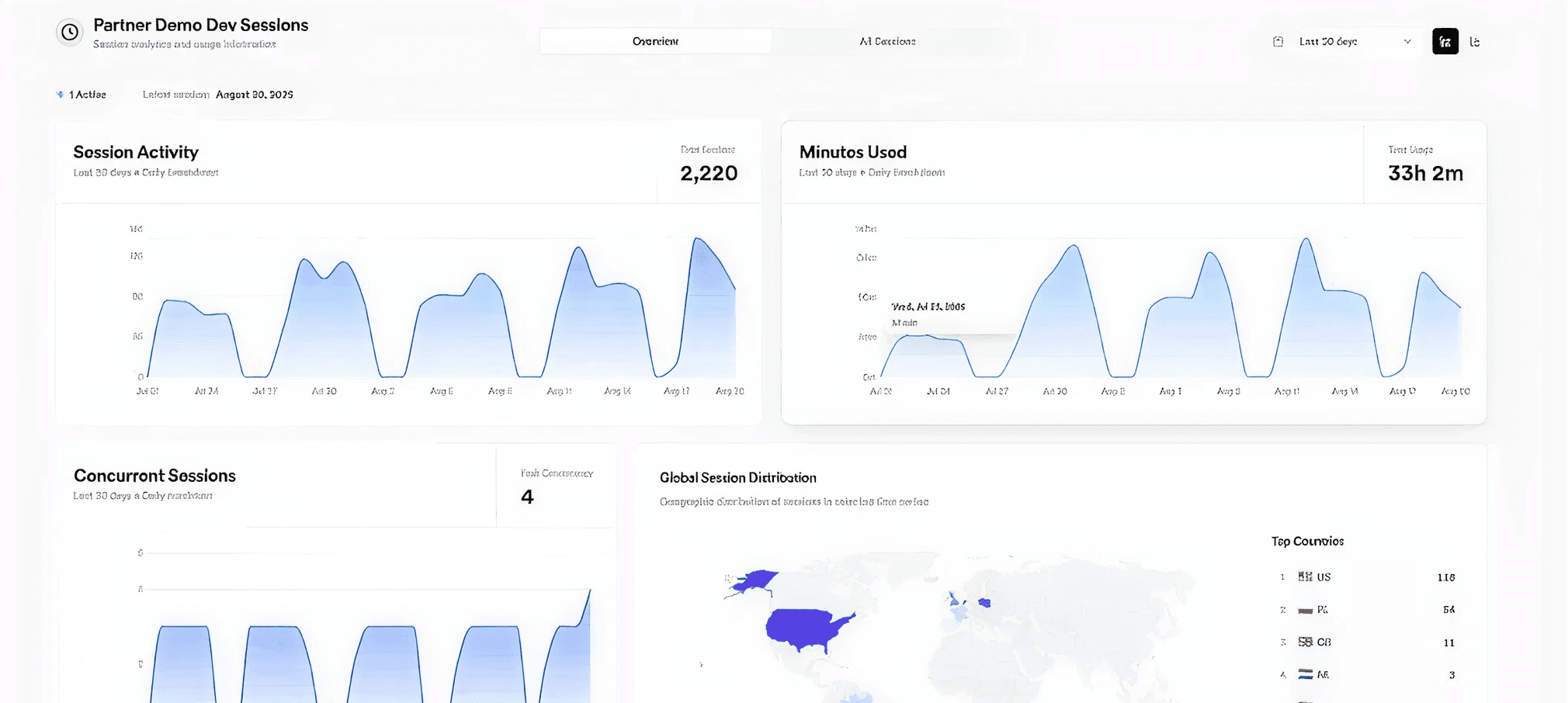
Once a conversation ends, how do you review what happened? To help you understand and improve your Persona’s performance, we’re launching Session Analytics in the Lab. Now you can access a detailed report for every conversation, complete with a full transcript, performance metrics, and AI-powered analysis.
Full Conversation Transcripts. Review every turn of a conversation with a complete, time-stamped transcript. See what the user said and how your Persona responded, making it easy to diagnose issues and identify successful interaction patterns.
Detailed Analytics & Timeline. Alongside the transcript, a new Analytics tab provides key metrics grouped into “Transcript Metrics” (word count, turns) and “Processing Metrics” (e.g., LLM latency). A visual timeline charts the entire conversation, showing who spoke when and highlighting any technical warnings.
AI-Powered Insights. For a deeper analysis, you can generate an AI-powered summary and review key insights. This feature, currently powered by gpt-5-mini, evaluates the conversation for highlights, adherence to the system prompt, and user interruption rates.
You can find your session history on the Sessions page in the Lab. Click on any past session to explore the new analytics report. This is available today for all session types, except for LiveKit sessions. For privacy-sensitive applications, session logging can be disabled via the SDK.
Lab changes
[2]
Improvements
Improved Voice Discovery.
The Voices page has been updated to be more searchable, allowing you to preview voices with a single click, and view new details like gender, TTS-model and language.
Fixes
Fixed share-link session bug.
Fixed bug of share-link sessions taking an extra concurrency slot.
Persona changes
[4]
Improvements
Small improvement to connection time
Tweaks to how we perform webrtc signalling which allows for slightly faster connection times (~900ms faster for p95 connection time).
Improvement to output audio quality for poor connections
Enabled Opus in-band FEC to improve audio quality under packet loss.
Small reduction in network latency
Optimisations have been made to our outbound media streams to reduce A/V jitter (and hence jitter buffer delay). Expected latency improvement is modest (<50ms).
Fixes
Fix for livekit sessions with slow TTS audio.
Stabilizes LiveKit streaming by pacing output and duplicating frames during slowdowns to prevent underflow.
Intelligent LLM Routing for Faster Responses
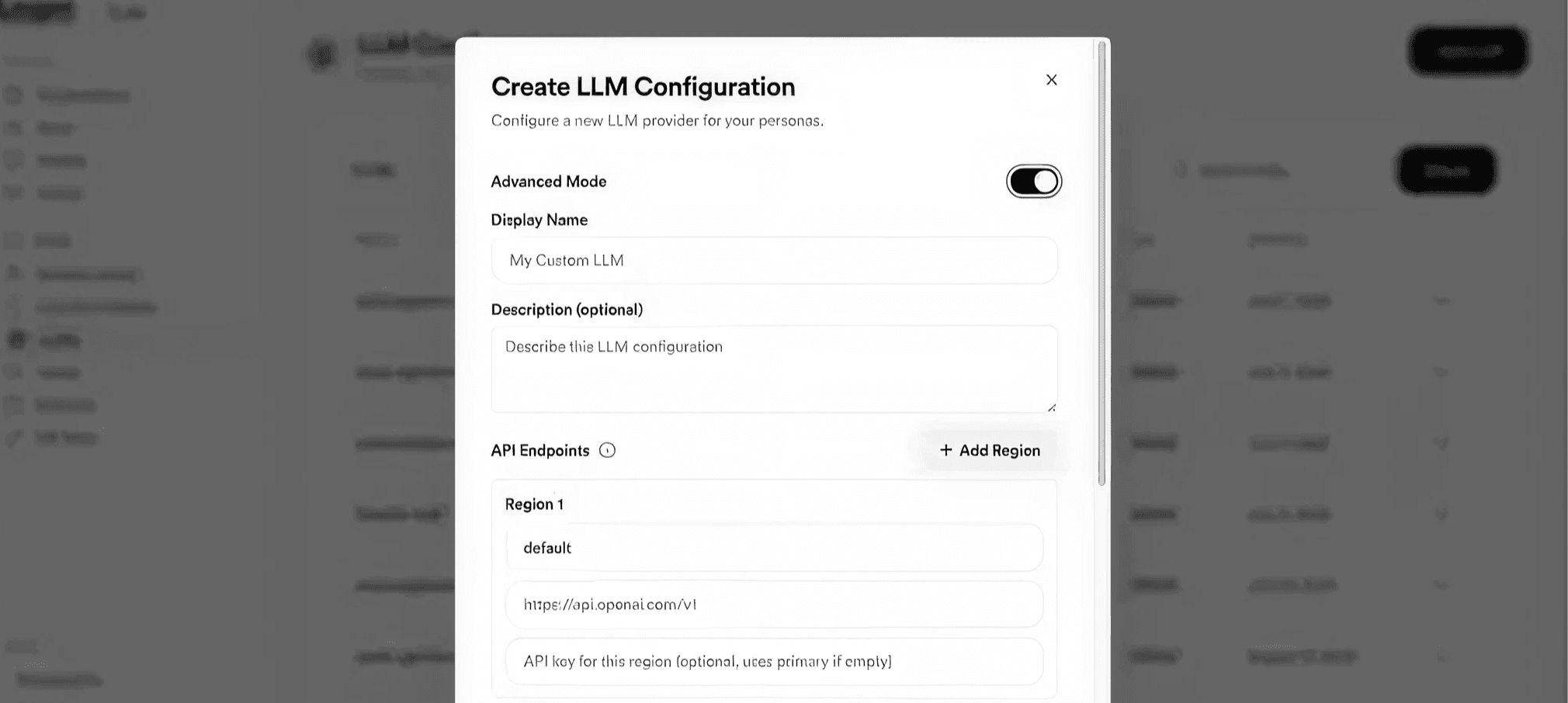
The performance of LLM endpoints can be highly variable, with time-to-first-token latencies sometimes fluctuating by as much as 500ms from one day to the next depending on regional load. To solve this and ensure your personas respond as quickly and reliably as possible, we’ve rolled out a new intelligent routing system for LLM requests. This is active for both our turnkey customers and for customers using their own server-side Custom LLMs if they deploy multiple endpoints.
This new system constantly monitors the health and performance of all configured LLM endpoints by sending lightweight probes at regular intervals. Using a time-aware moving average, it builds a real-time picture of network latency and processing speed for each endpoint. When a request is made, the system uses this data to calculate the optimal route, automatically shedding load from any overloaded or slow endpoints within a region.
Lab changes
[2]
Improvements
Generate one-shot avatars from text prompts
You can now generate one-shot avatars from text prompts within the lab, powered by Gemini’s new Nano Banana model. The one-shot creation flow has been redesigned for speed and ease-of-use, and is now available to all plans. Image upload and webcam avatars remain exclusive to Pro and Enterprise.
Improved management of published embed widgets
Published embed widgets can now be configured and monitored from the lab at https://lab.anam.ai/personas/published.
Persona changes
[4]
Improvements
Automatic failover to backup data centres
To ensure maximum uptime and reliability for our personas, we’ve implemented automatic failover to backup data centres.
Fixes
Prevent session crash on long user speech
Previously, unbroken user speech exceeding 30 seconds would trigger a transcription error and crash the session. We now automatically truncate continuous speech to 30 seconds, preventing sessions from failing in these rare cases.
Allow configurable session lengths of up to 2 hours for Enterprise plans
We had a bug where sessions had a max timeout of 30 mins instead of 2 hours for enterprise plans. This has now been fixed.
Resolved slow connection times caused by incorrect database region selection
An undocumented issue with our database provider led to incorrect region selection for our databases. Simply refreshing our credentials resolved the problem, resulting in a ~1s improvement in median connection times and ~3s faster p95 times. While our provider works on a permanent fix, we’re actively monitoring for any recurrence.
Embed Widget
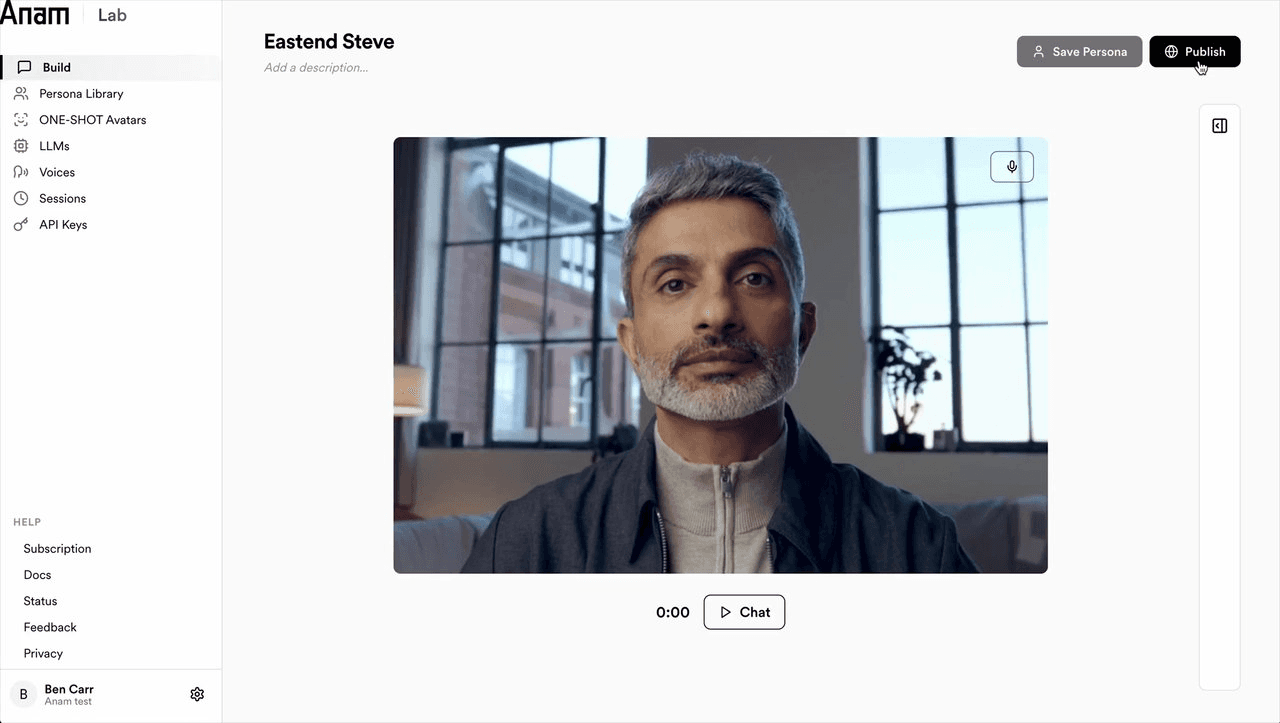
Embed personas directly into your website with our new widget. Within the lab’s build page click Publish then generate your unique html snippet. This snippet will work in most common website builders, eg Wordpress.org or SquareSpace
For added security we recommend adding a whitelist with your domain url. This will lock down the persona to only work on your website. You can also cap the number of sessions or give the widget an expiration period.
API Changes
[1]
Improvements
ONE-SHOT avatars available via API
Professional and Enterprise accounts can now create one-shot avatars via API. Docs here.
Lab changes
[1]
Improvements
Spend caps
It’s now possible to set a spend cap on your account. Available in profile settings.
Persona changes
[1]
Fixes
Prevent Cartesia from timing out when using slow custom LLMs.
We’ve added a safeguard to prevent Cartesia contexts from unexpectedly closing during pauses in text streaming. With slower llms or if there’s a break or slow-down in text being sent, your connection will now stay alive, ensuring smoother, uninterrupted interactions.
© 2026 Anam Labs
SOC 2 Type II report · HIPAA-aligned controls.