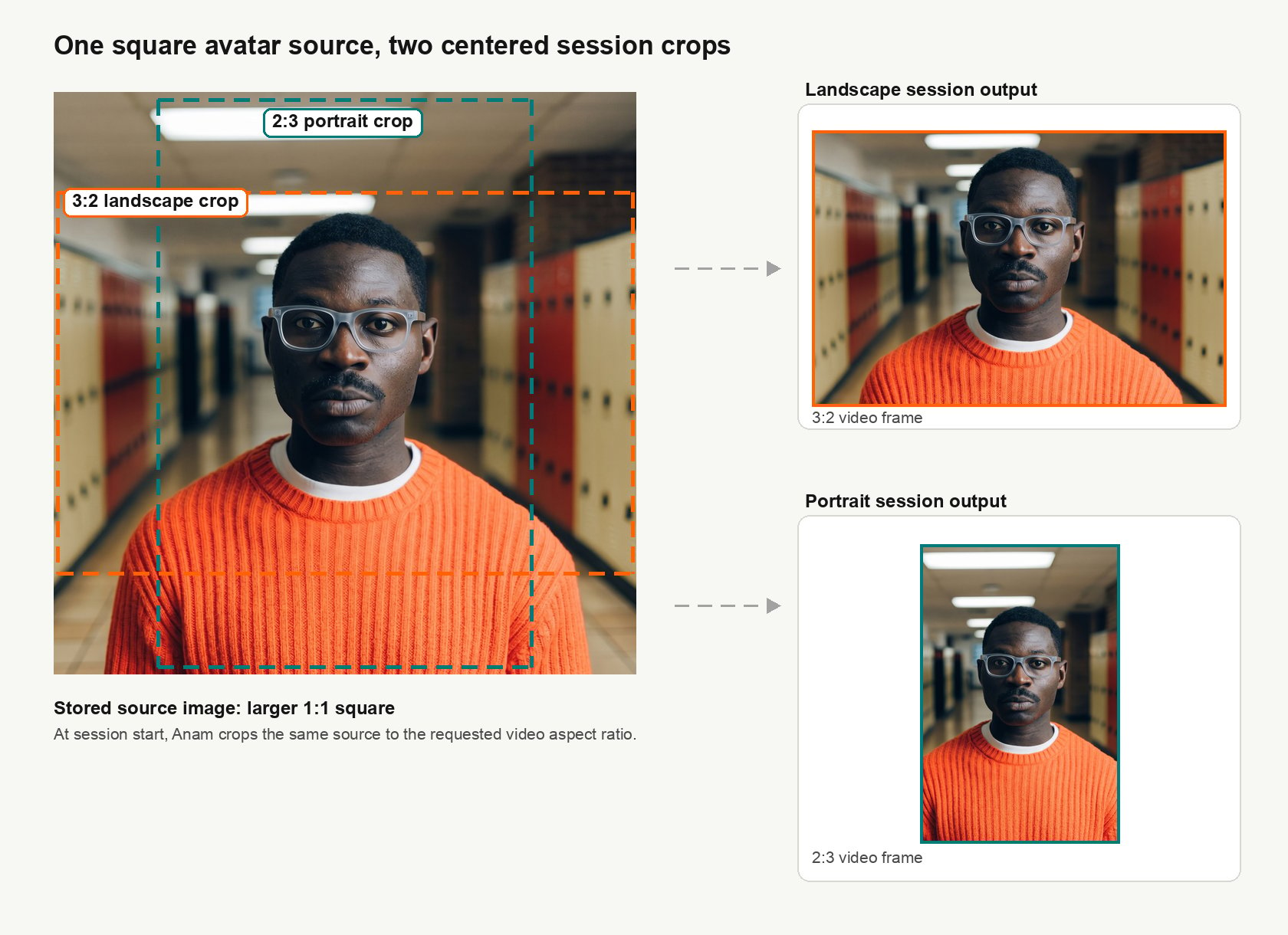
Use custom avatar images to create personalized digital personas. Follow these technical specifications and guidelines to ensure your custom avatars display correctly and perform well.
Custom avatar creation is available to all users via Anam Lab. For programmatic avatar creation via API, see the API Reference.

Technical specifications

File format

  • Supported formats: .png or .jpg
  • Resolution: Minimum of 720x480 pixels (higher resolutions preferred)
  • Aspect ratio: Widescreen format, either 3:2 or 16:9
  • File size: Maximum 10MB recommended
If your uploaded image does not meet these specifications, the system will display a validation error explaining which requirements were not met.
Example: hunter_table.png

Subject pose and expression

Facial focus

The subject’s face must be in sharp focus with the following characteristics:
  • Gaze: Looking directly at the camera
  • Camera angle: Slightly low angle so the subject appears to be looking down slightly, similar to their appearance on a video call
  • Facial expression: Neutral expression required
    • No extreme expressions
    • Face should appear relaxed
    • Mouth should be closed but not held tightly
  • Pose reference: Replicate the provided reference pose as closely as possible

Framing and composition

Centering

  • Horizontal: Position the subject in the center of the frame
  • Vertical: Position the subject’s mouth-line at approximately 50% of the frame height

Additional framing guidelines

  • Headroom: Adequate vertical space above the subject’s head, equivalent to roughly 25% of the total image height
  • View: The subject’s shoulders and chest must be clearly visible in the shot
  • Body orientation: The subject should be facing the camera directly

Environment and appearance

Clothing

Avoid wearing clothing with large text or distracting logos.

Background

Simple, uncluttered backgrounds are preferred.

Camera distance

The ideal distance between the camera and the subject is approximately 2 meters, although this may vary depending on the camera lens used.

Improving jitter and lip-sync

If you experience issues with jittery shoulders or poor lip sync and expressivity, try this technique:
1

Create initial avatar

Go to https://lab.anam.ai/avatars and click to Create Avatar.
2

Generate first version

Take or upload a picture and start creating a 1-shot avatar with your image.
3

Capture neutral frame

During step 3, the system will show you the motion of the new persona you’ve created. Pause the video on a frame with open eyes and a neutral expression.
4

Save the frame

Right-click on the video and select “Save video frame as…”
5

Use the saved frame

Use that image to create your 1-shot from by starting the creation flow again.
6

Optional: Upscale resolution

If the resolution is low, use a tool like magnific to upscale it.

Next steps

Once you have created your custom avatar, you can use it in a persona configuration. See Understanding Personas to learn how avatars combine with voices and LLMs to create complete AI personas.