

sessionOptions when creating a session token to configure video behavior for a session.
Video dimensions
SetvideoWidth and videoHeight together when you want to request a specific supported output size. Omit both fields to use the selected avatar model’s default output size.
Cara 4 supports landscape output at
1152x768 and portrait output at 768x1152. Use landscape output for desktop and embedded web experiences. Use portrait output for mobile-first or vertical layouts. If you provide one dimension field, you must provide both.
If you omit
videoWidth and videoHeight, Anam uses the selected avatar model’s default output size.How avatar crops work
Cara 4 avatars use a larger square source image. At session start, Anam takes a centered crop from that square source to produce the requested video frame.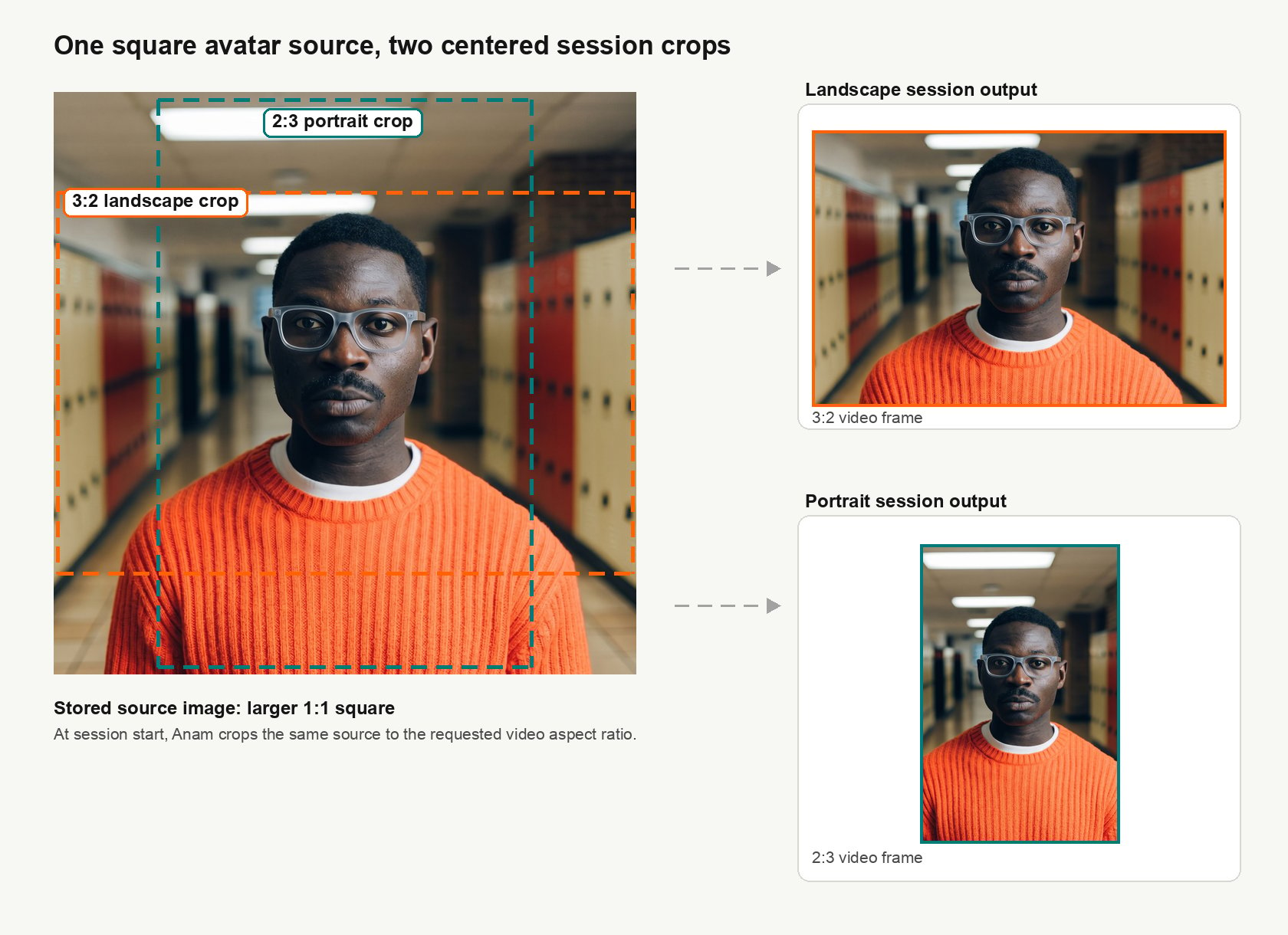
1152x768 or 768x1152.
For uploaded images, webcam captures, and existing custom avatars that are migrated to the Cara 4 source format, Anam may use padding, cropping, or outpainting when the source does not naturally cover both crops. This helps preserve compatibility for older non-square avatar images while still producing the requested session frame.
Video quality
videoQuality controls the initial video bitrate profile for the session.
If you omit
videoQuality, Anam uses the default behavior.