> ## Documentation Index
> Fetch the complete documentation index at: https://anam.ai/docs/llms.txt
> Use this file to discover all available pages before exploring further.
# LiveKit Integration
> Add Anam avatars to LiveKit agent applications
The Anam LiveKit plugin adds a visual avatar face to your LiveKit voice agents. Combine Anam's avatar technology with any STT, LLM, or TTS — including OpenAI Realtime, Gemini Live, or your own custom models.
## How it works
LiveKit uses a room-based architecture. Human users and AI agents both connect to rooms as participants. Anam plugs into this as a video layer:
```
User Input (Voice/Video)
↓
LiveKit Room (Real-time Communication)
↓
Your LLM (OpenAI, Gemini, Claude, etc.)
↓
Text Response → Anam Avatar (TTS + Video)
↓
User sees and hears the avatar
```
The Anam plugin listens to the audio being sent to users and generates a synchronized video stream of the avatar speaking. The video is published to the room as a separate track that clients display.
**Bring Your Own LLM**: Anam handles only the visual avatar. You choose the ears, intelligence, and voice — whether that's DeepGram, ElevenLabs, Cartesia, OpenAI, Gemini, Claude, or a custom model.
## Demo
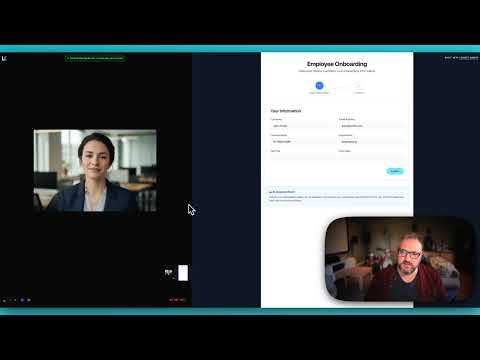
See the integration in action with our onboarding assistant demo:
## Use cases
The Anam + LiveKit combination is ideal for scenarios requiring voice interaction with visual presence:
Guide new hires through forms and processes with screen share analysis. The AI sees what they see and provides contextual help.
Help students with homework by seeing their work. The avatar can point out errors and explain concepts visually.
See customer screens and provide step-by-step guidance with a friendly visual presence.
Assist patients filling out medical forms with a calm, reassuring avatar presence.
Guide users through account opening, KYC processes, and complex financial forms.
## Resources
Build a LiveKit voice agent with an Anam avatar from scratch
Add Gemini Vision to a LiveKit agent for screen share analysis
Full source code for the onboarding assistant demo
Official LiveKit documentation