February 19, 2026
Adding the Anam widget to Wix

Adding the Anam widget to Wix
Wix has a Custom Code feature that lets you inject HTML and JavaScript into your site's head or body. We can use that to load the Anam widget across your entire Wix site without writing any Velo code.
What you'll build
A Wix site with an Anam avatar widget. Visitors can click it to start a conversation with your AI persona.
Prerequisites
- An Anam account with a published persona (lab.anam.ai)
- A Wix site on a paid plan (custom code injection requires a paid plan)
Grab your embed code
Go to Anam Lab, open your persona, and copy the widget embed snippet from the Widget tab:
<anam-agent agent-id="your-persona-id"></anam-agent>
<script src="https://unpkg.com/@anam-ai/agent-widget" async></script>
Open the custom code settings
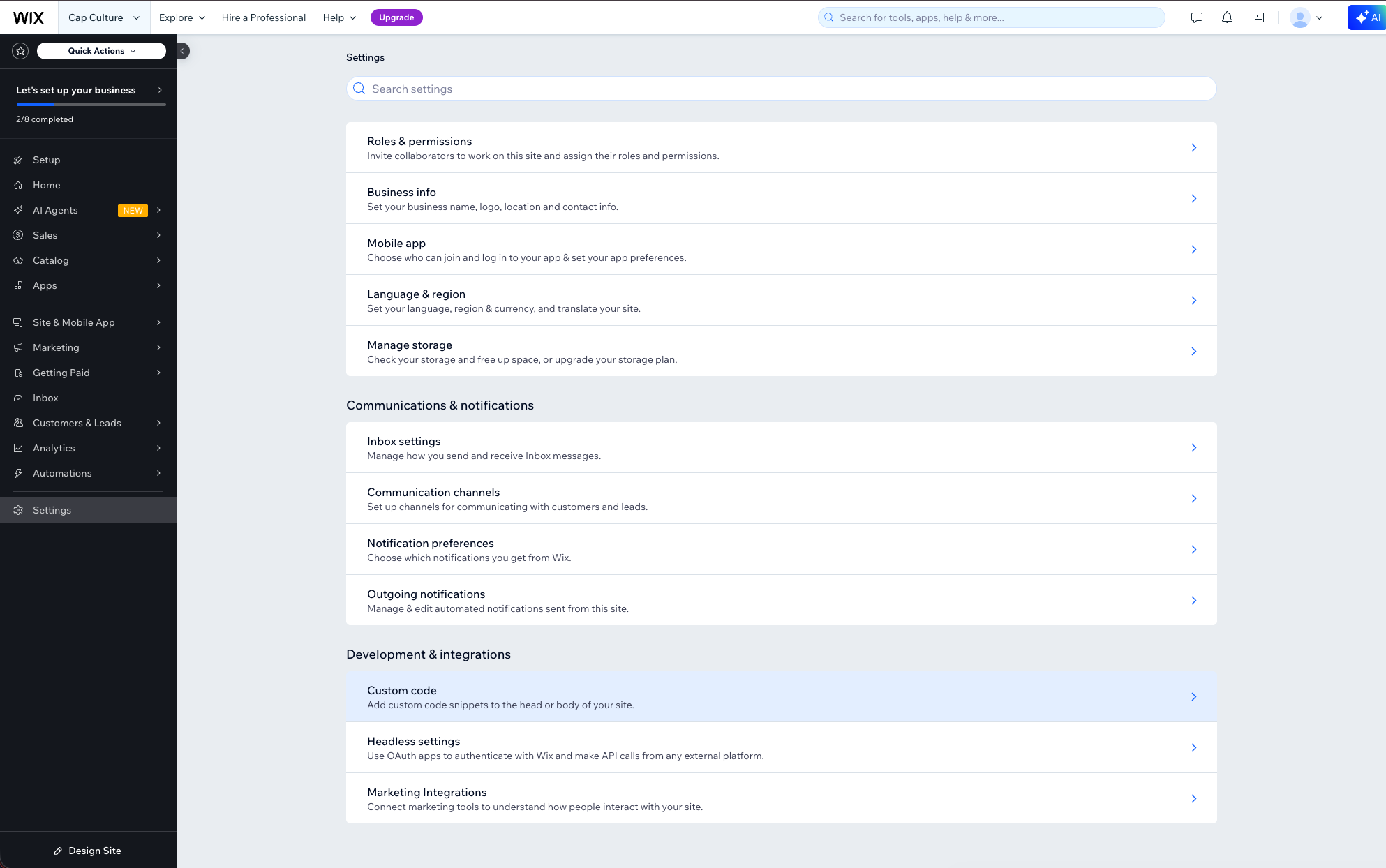
From your Wix dashboard, click Settings in the left sidebar. Scroll down to the Development & integrations section and click Custom Code.
Add the widget code
Click + Add Custom Code in the top right. A dialog will open where you can configure the snippet.
Paste your embed code into the text area and fill in the settings:
- Name: Give it a label like "Anam Widget" so you can find it later
- Add Code to Pages: Select All pages and pick Load code once from the dropdown. This keeps the widget persistent as visitors navigate between pages.
- Place Code in: Select Head
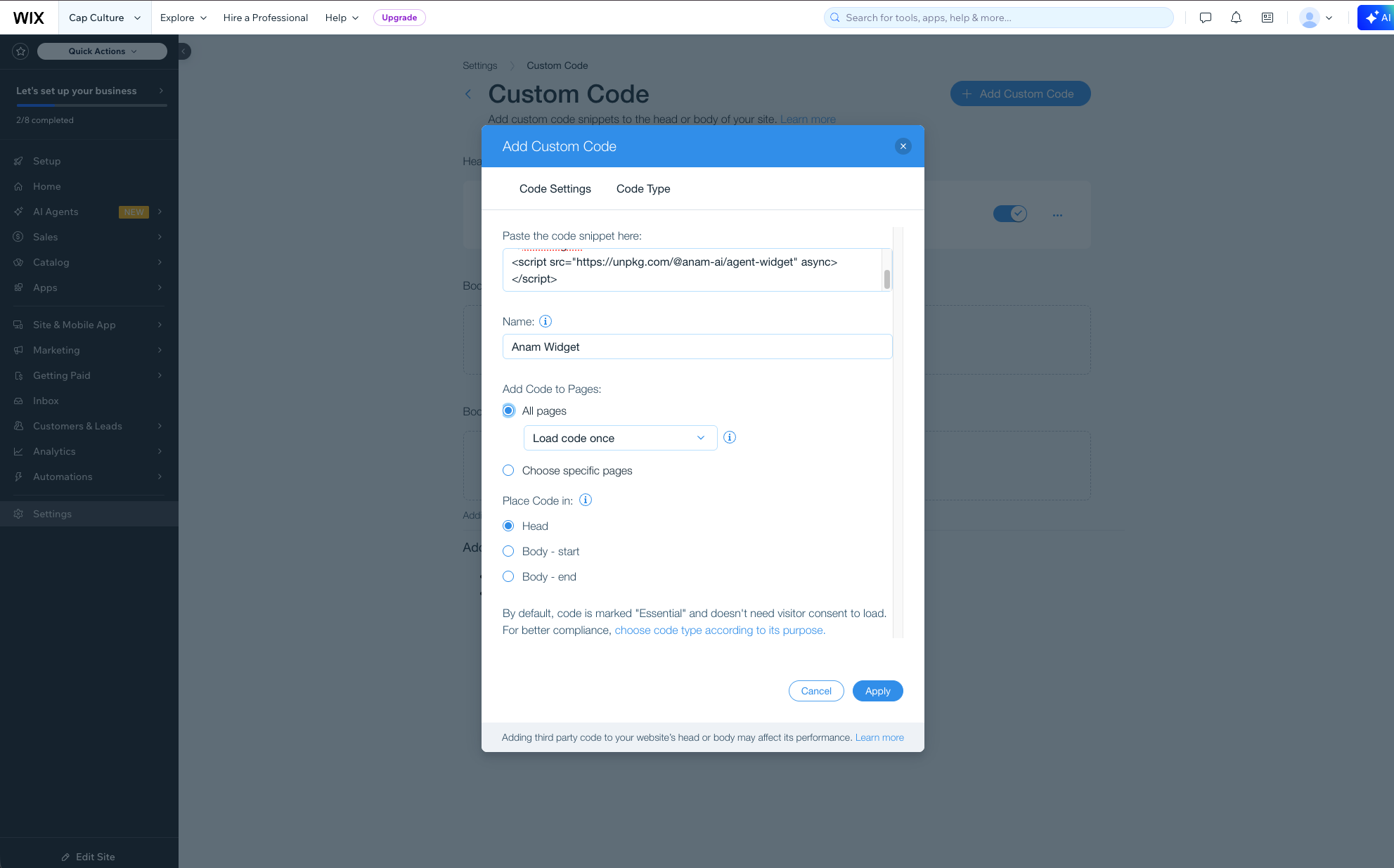
Click Apply to save.
Check your live site
Open your published Wix site. The widget should appear on the page, positioned however you configured it in Anam Lab.

Customizing the widget
The easiest way to customize your widget is through the Anam Lab interface. Open your persona's Widget tab to adjust the layout, position, initial state, call-to-action text, and more. You don't need to re-copy the embed code after making changes. Just hit Publish in the Anam Lab and your live widget will update automatically.
If you need to override something for a specific embed, you can also use HTML attributes directly. Go back to Settings → Custom Code, find your Anam Widget snippet, and edit it:
<anam-agent
  agent-id="your-persona-id"
  initial-state="minimized"
  call-to-action="Ask me anything"
></anam-agent>
<script src="https://unpkg.com/@anam-ai/agent-widget" async></script>
The full list of attributes is in the widget documentation.
Removing the widget
Go to Settings → Custom Code, find the "Anam Widget" entry, and delete it. The widget will disappear from your site on the next publish.