February 19, 2026
Adding the Anam widget to Squarespace

Adding the Anam widget to Squarespace
The Anam widget is a drop-in web component that adds a conversational AI avatar to any website. On Squarespace, getting it running is a two-minute job. You paste two lines of HTML into the code injection panel, and your persona shows up on every page.
What you'll build
A Squarespace site with an Anam avatar widget. Visitors can click it to start a conversation with your AI persona.
Prerequisites
- An Anam account with a published persona (lab.anam.ai)
- A Squarespace site on a Core plan or higher
Code injection is not available on Squarespace's free trial. You'll need at least a Core plan.
Grab your embed code
Head to Anam Lab and open the persona you want to deploy. Go to the Widget tab and copy the embed snippet. It looks like this:
<anam-agent agent-id="your-persona-id"></anam-agent>
<script src="https://unpkg.com/@anam-ai/agent-widget" async></script>
Open code injection in Squarespace
From your Squarespace dashboard, click Website in the left sidebar to expand the menu.
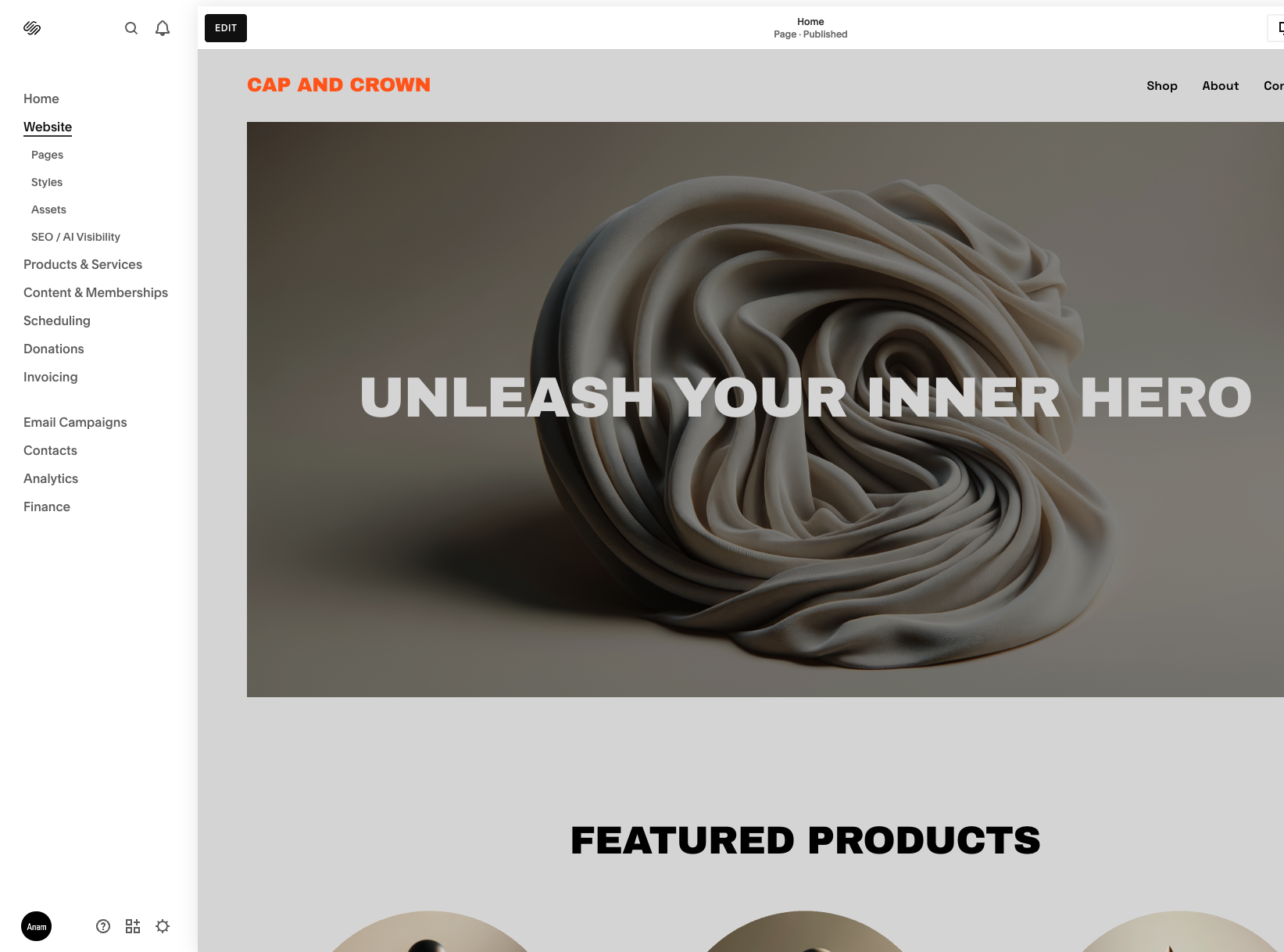
Now go to Website → Pages. At the bottom of the pages panel you'll see Custom Code → Code Injection.
Paste the embed code
Drop your two lines into the Header code injection field. That's it.
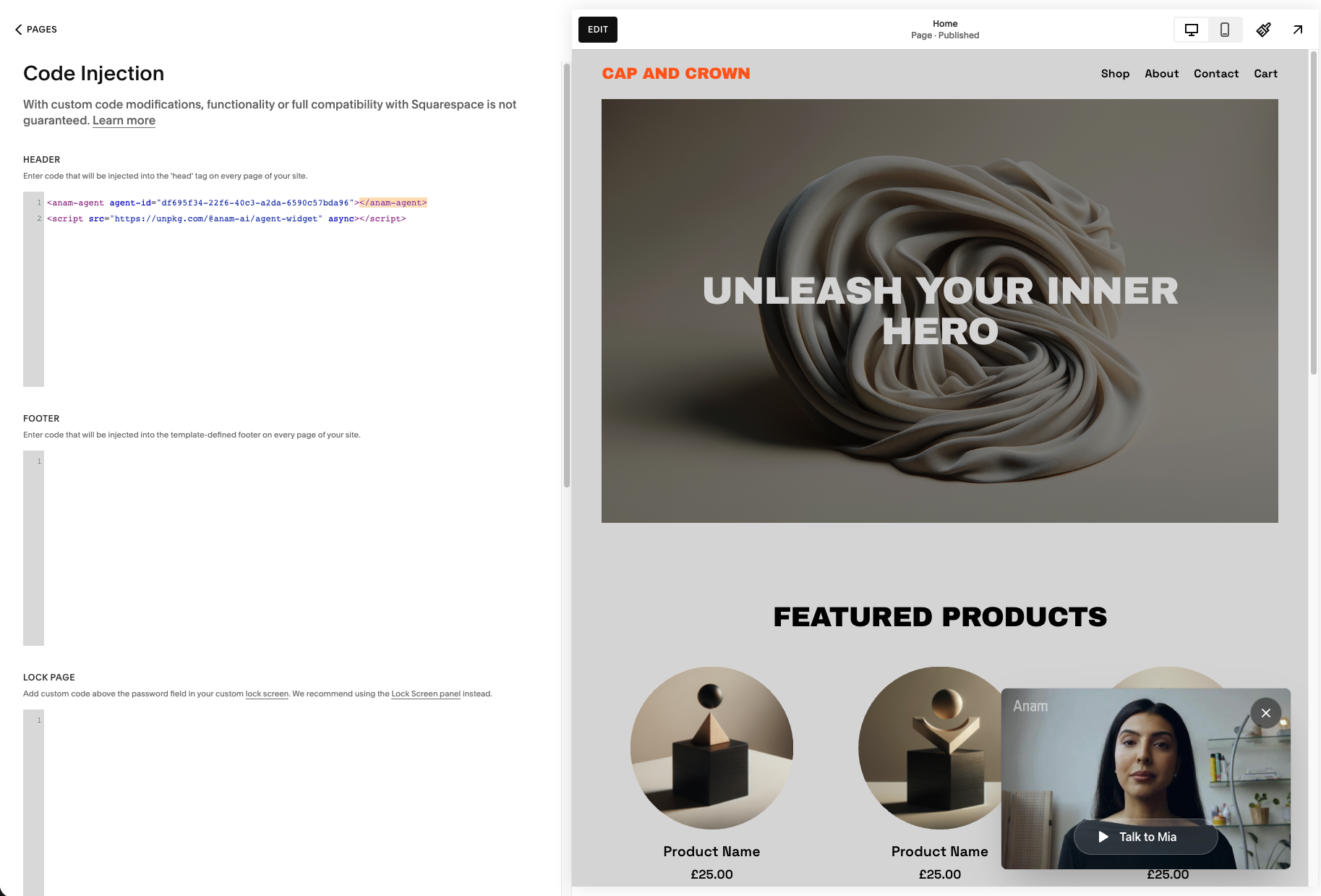
Click Save and you're done with the configuration.
Check it on your live site
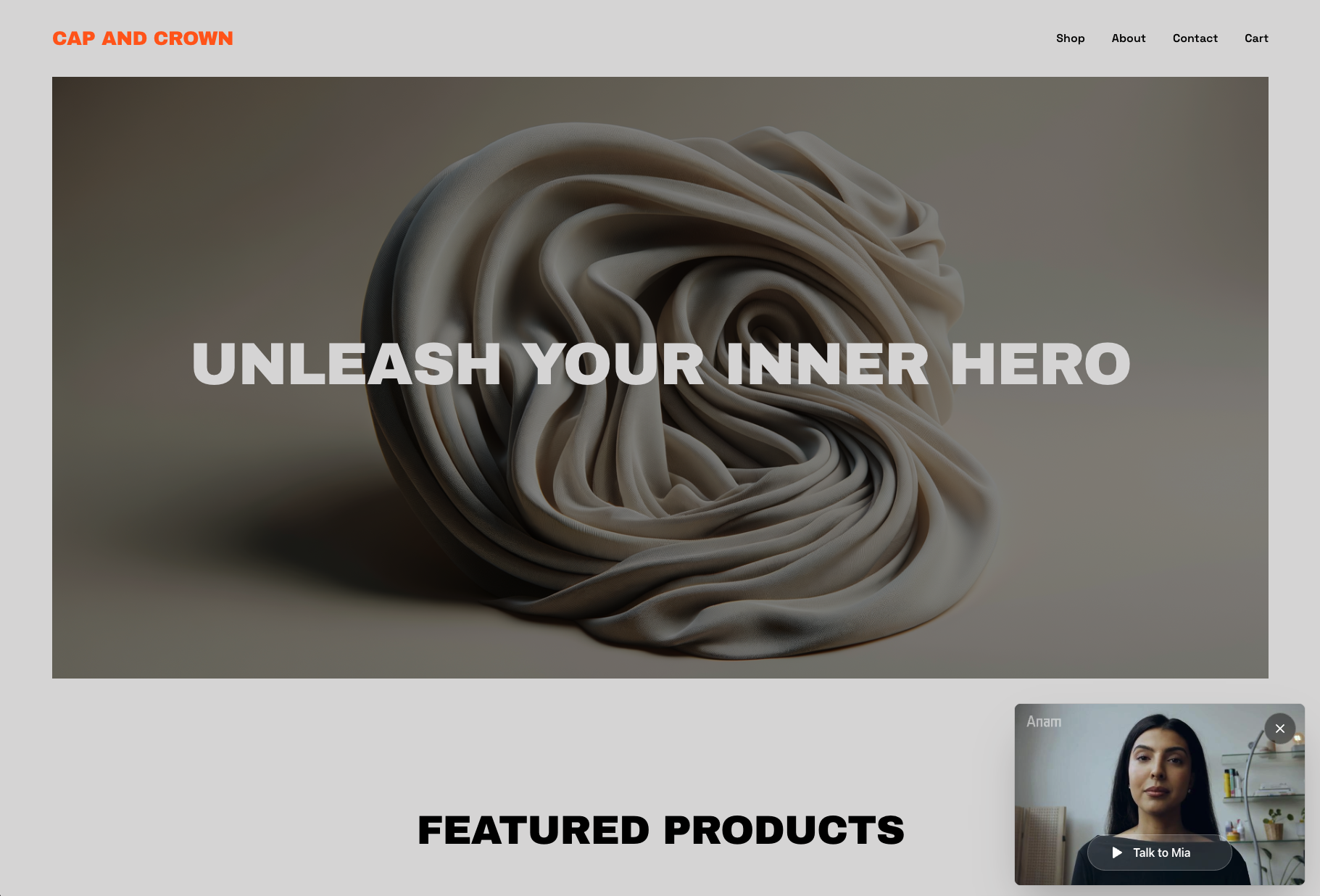
Open your live site URL and you should see the widget on the page.
Customizing the widget
The easiest way to customize your widget is through the Anam Lab interface. Open your persona's Widget tab to change the layout, position, initial state, call-to-action text, and more. You don't need to re-copy the embed code after making changes. Just hit Publish in the Anam Lab and your live widget will update automatically.
You can also override settings per-embed using HTML attributes. For example, if you want a specific page to behave differently from your Lab defaults:
<anam-agent
  agent-id="your-persona-id"
  initial-state="minimized"
  call-to-action="Chat with us"
></anam-agent>
<script src="https://unpkg.com/@anam-ai/agent-widget" async></script>
The full list of attributes is in the widget documentation.
Removing the widget
To take the widget down, go back to the code injection panel and delete the two lines you added. Save, and it's gone from your site.